> ## Documentation Index
> Fetch the complete documentation index at: https://docs.plannotator.ai/llms.txt
> Use this file to discover all available pages before exploring further.

# How to Write a Good AGENTS.md (or CLAUDE.md)

> Learn what to put in AGENTS.md or CLAUDE.md, how coding agents load repository instructions, and how to improve results without bloating the agent's context.

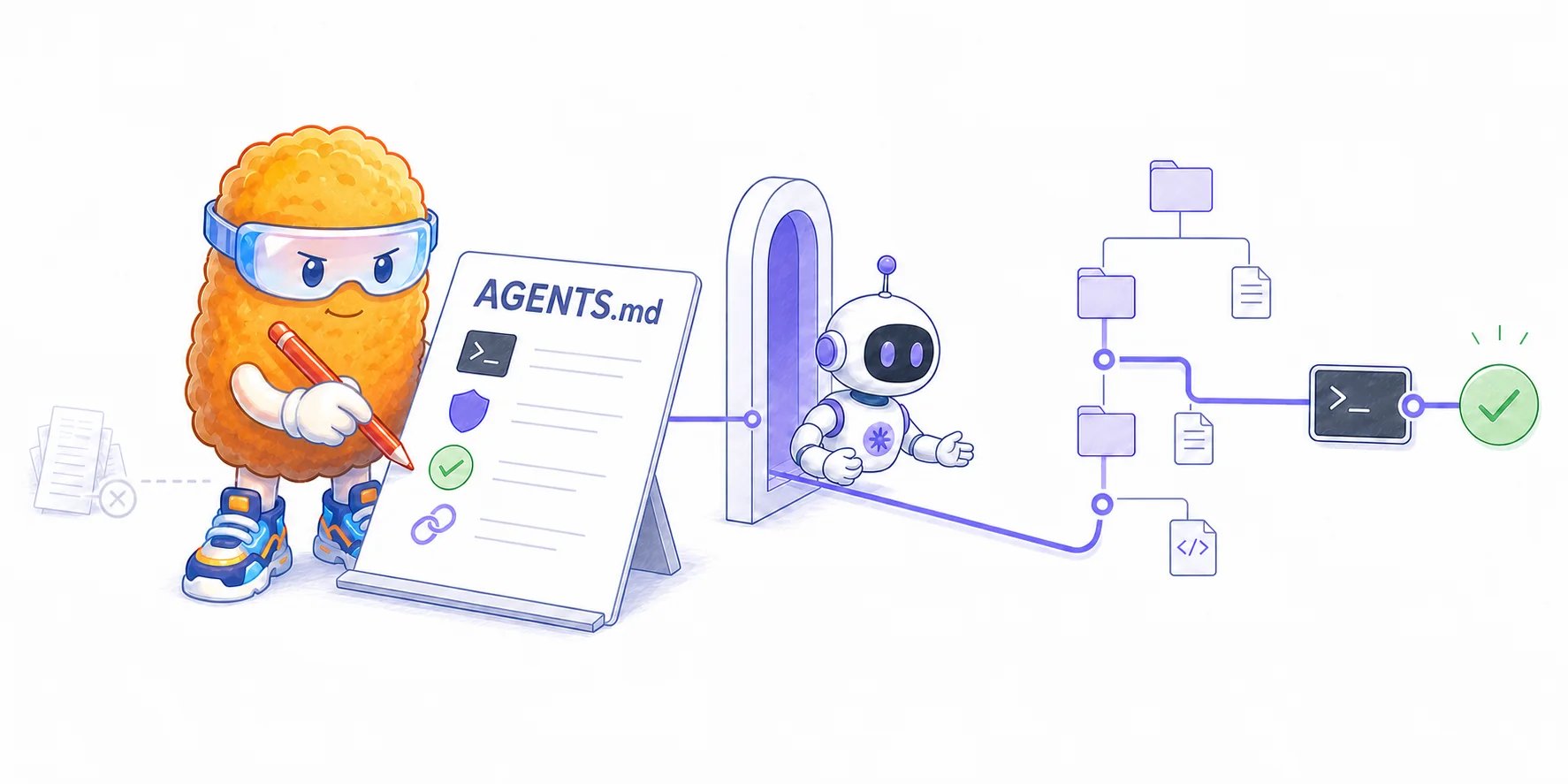
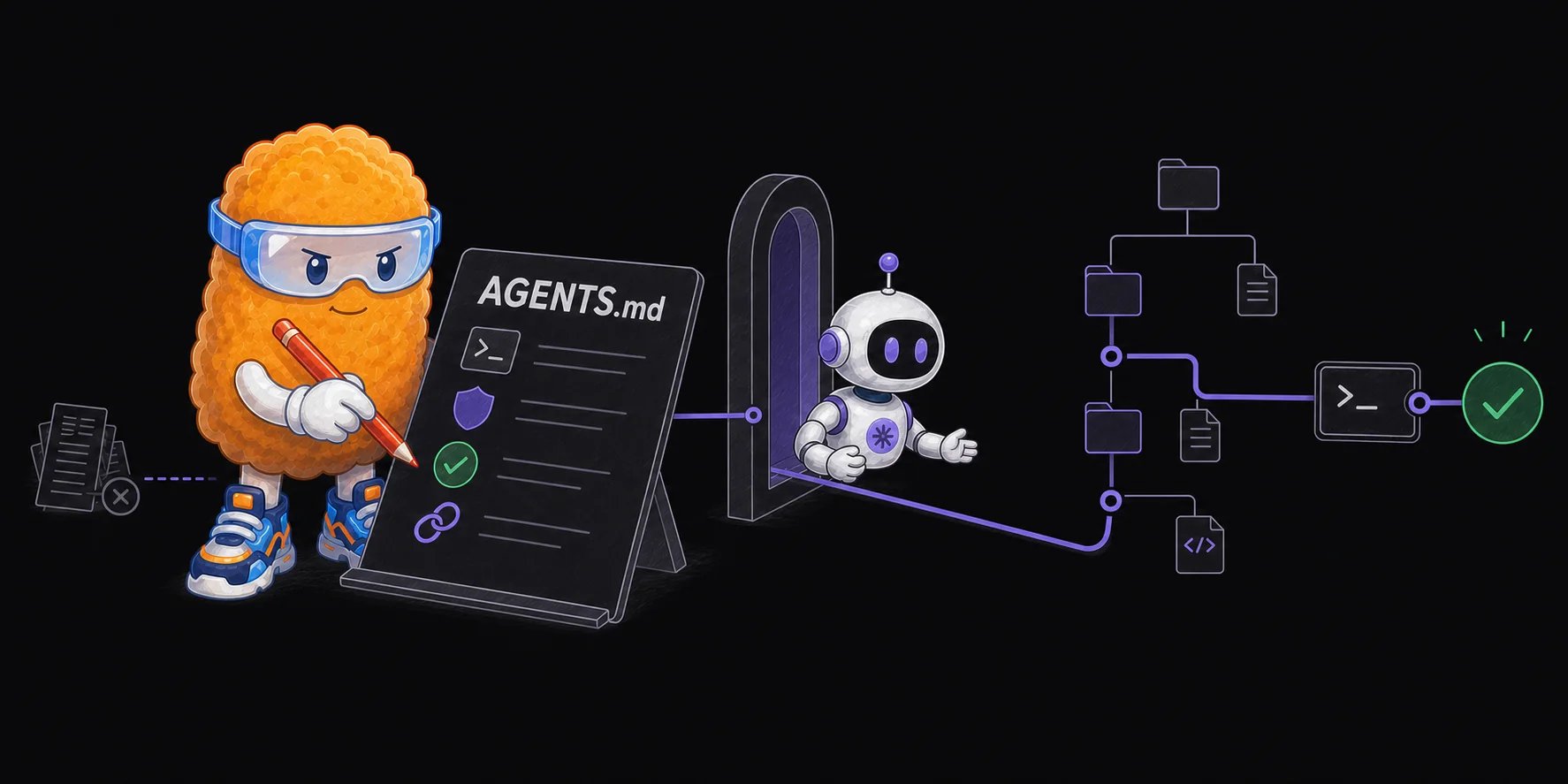
A good **AGENTS.md** gives a coding agent the smallest set of repository-specific instructions it needs to work correctly. It should explain the commands, constraints, and verification steps the agent cannot safely infer from the code. It should not try to summarize the entire codebase or teach the agent general software engineering.

*Last reviewed July 18, 2026. Maintained by the Plannotator project.*

If your team uses Claude Code, the equivalent file is [**CLAUDE.md**](/learn/ai-development/what-is-a-claude-file). The filename and loading rules differ, but the writing principle is the same: include only durable guidance that should influence almost every task in that scope.

The best test for every line is simple:

> Would removing this instruction cause the agent to make a specific, recurring mistake?

If the answer is no, remove it or move it to documentation that the agent can read when relevant.

<Frame>
  <img className="block dark:hidden" src="https://mintcdn.com/plannotator/xgLX3SHAklHWKlzH/images/agents-md-operating-guide.webp?fit=max&auto=format&n=xgLX3SHAklHWKlzH&q=85&s=28bbb2280eb1fbe2efce2d371a1022ad" alt="Totman writes a single AGENTS.md file containing commands, boundaries, verification, and documentation pointers before one coding agent carries its guidance through the repository and reaches a passing check." width="1774" height="887" data-path="images/agents-md-operating-guide.webp" />

  <img className="hidden dark:block" src="https://mintcdn.com/plannotator/xgLX3SHAklHWKlzH/images/agents-md-operating-guide-dark.webp?fit=max&auto=format&n=xgLX3SHAklHWKlzH&q=85&s=24aebeedbc7b82a4a72398a685f618c9" alt="Totman writes a single AGENTS.md file containing commands, boundaries, verification, and documentation pointers before one coding agent carries its guidance through the repository and reaches a passing check." width="1774" height="887" data-path="images/agents-md-operating-guide-dark.webp" />
</Frame>

## What is AGENTS.md?

AGENTS.md is a plain Markdown file containing instructions for AI coding agents. The [open AGENTS.md format](https://agents.md/) describes it as a README for agents: a predictable place for build steps, tests, conventions, and other project guidance.

The file is normally committed to Git. That makes the instructions reviewable by the team and available to every supported agent that works in the repository. There are no required headings or fields.

AGENTS.md does not contain the agent, model, or task. It changes the context the agent receives before working on a task. In practice, it sits between the agent's built-in instructions and the repository it must understand.

## What is the difference between AGENTS.md and CLAUDE.md?

AGENTS.md is an open format supported by a growing set of coding tools. CLAUDE.md is Claude Code's native project-memory file.

| File        | Primary use                                                      | How it is scoped                                         | Important behavior                                                                                                                               |
| ----------- | ---------------------------------------------------------------- | -------------------------------------------------------- | ------------------------------------------------------------------------------------------------------------------------------------------------ |
| `AGENTS.md` | Shared repository guidance for Codex and other compatible agents | Root file plus more specific files in nested directories | Codex combines applicable files from the repository root to the working directory. More specific guidance appears later and takes precedence.    |
| `CLAUDE.md` | Persistent project instructions for Claude Code                  | User, project, parent, and nested directory files        | Claude Code reads the project file at the start of a conversation and loads more specific child instructions when it works in those directories. |

Anthropic's [Claude Code best practices](https://code.claude.com/docs/en/best-practices) recommend checking the project-level CLAUDE.md into Git so the team can maintain it together. OpenAI's [Codex documentation](https://learn.chatgpt.com/docs/agent-configuration/agents-md) explains how Codex discovers and combines AGENTS.md files.

If your team uses both formats, you can keep one canonical file and create a symbolic link:

```bash theme={null}
ln -s AGENTS.md CLAUDE.md
```

Use separate files only when the tools need genuinely different guidance. Duplicating the same instructions in two independent files creates another place for them to drift.

## How coding agents use repository instructions

Repository instructions are added to the agent's working context. The model can use them while it explores the repository, makes a plan, edits files, runs commands, and decides whether the task is complete.

For Codex, discovery happens once when a run starts. Codex reads global guidance from `~/.codex`, then walks from the project root toward the current working directory. In each directory it checks `AGENTS.override.md` before `AGENTS.md`. Applicable files are combined from broad to specific, with the closer file taking precedence. The default combined project-instruction limit is 32 KiB.

Claude Code reads CLAUDE.md at the start of each conversation. It can combine a user-level file, a project file, parent-directory files, and more specific child files. CLAUDE.md can also import another file with `@path/to/file` syntax.

That hierarchy matters most in a monorepo. The root should contain rules shared by the whole repository. A package-level file should contain only the guidance that changes inside that package.

<div className="not-prose my-8 overflow-hidden rounded-2xl border border-gray-200 bg-white dark:border-white/10 dark:bg-[#0B0B0D]" aria-labelledby="agents-md-scope-title">
  <div className="border-b border-gray-200 px-5 py-4 dark:border-white/10">
    <p className="text-xs font-semibold uppercase tracking-wider text-violet-600 dark:text-violet-300">Instruction scope</p>
    <p id="agents-md-scope-title" className="mt-1 text-lg font-semibold text-gray-950 dark:text-gray-100">Put each instruction as close as possible to the work it governs</p>
  </div>

  <div className="grid gap-3 p-5">
    <section className="grid gap-3 rounded-xl border border-gray-200 bg-gray-50 p-4 dark:border-white/10 dark:bg-[#17171C] sm:grid-cols-[9rem_1fr] sm:items-center">
      <div>
        <p className="text-sm font-semibold text-gray-950 dark:text-gray-100">Global</p>
        <p className="mt-1 font-mono text-xs text-violet-700 dark:text-violet-300">\~/.codex/AGENTS.md</p>
      </div>

      <p className="m-0 text-sm text-gray-600 dark:text-gray-400">Personal defaults that apply across repositories.</p>
    </section>

    <span aria-hidden="true" className="text-center text-lg leading-none text-gray-300 dark:text-gray-600">↓</span>

    <section className="grid gap-3 rounded-xl border border-gray-200 bg-gray-50 p-4 dark:border-white/10 dark:bg-[#17171C] sm:grid-cols-[9rem_1fr] sm:items-center">
      <div>
        <p className="text-sm font-semibold text-gray-950 dark:text-gray-100">Repository</p>
        <p className="mt-1 font-mono text-xs text-violet-700 dark:text-violet-300">/AGENTS.md</p>
      </div>

      <p className="m-0 text-sm text-gray-600 dark:text-gray-400">Shared tooling, boundaries, and completion checks.</p>
    </section>

    <span aria-hidden="true" className="text-center text-lg leading-none text-gray-300 dark:text-gray-600">↓</span>

    <section className="grid gap-3 rounded-xl border border-violet-300 bg-violet-50/60 p-4 dark:border-violet-400/40 dark:bg-[#1D1D24] sm:grid-cols-[9rem_1fr] sm:items-center">
      <div>
        <p className="text-sm font-semibold text-gray-950 dark:text-gray-100">Package</p>
        <p className="mt-1 font-mono text-xs text-violet-700 dark:text-violet-300">/apps/web/AGENTS.md</p>
      </div>

      <p className="m-0 text-sm text-gray-600 dark:text-gray-400">Only the rules that change for this package.</p>
    </section>
  </div>

  <p className="m-0 border-t border-gray-200 bg-gray-50 px-5 py-3 text-sm text-gray-600 dark:border-white/10 dark:bg-[#17171C] dark:text-gray-400">
    A nested file should narrow or override broader guidance, not repeat it.
  </p>
</div>

## What should you put in AGENTS.md?

Include facts that materially change how the agent should work and are difficult to infer reliably.

### One sentence about the repository

State what the repository produces and any boundary that changes engineering decisions.

```md theme={null}
This repository contains the API and browser application for a multi-tenant
document collaboration product. The raw-file service is a separate deployment
and must not render or transform user content.
```

The second sentence earns its place because it prevents a plausible architectural mistake. A long directory tour does not.

### Exact setup, build, and test commands

Name non-obvious tools and commands. Explain when to run them and what successful completion requires.

```md theme={null}
## Commands

- Install dependencies with `pnpm install` from the repository root.
- Run focused tests with `pnpm test --filter <package>` while developing.
- Before finishing, run `pnpm lint`, `pnpm typecheck`, and the tests for every changed package.
```

Commands are high-value instructions because the agent cannot always infer the team's preferred package manager, test scope, or final verification gate.

### Repository-specific constraints

Include boundaries that are easy to violate and expensive to repair.

```md theme={null}
## Boundaries

- Never edit generated files under `packages/api/generated/` by hand. Update
  `api/spec.yaml`, then run `pnpm generate:api`.
- Database migrations are append-only after they reach `main`.
- Do not add a production dependency without explicit approval.
```

Each rule names an action, a scope, and, where useful, the correct alternative.

### A definition of done

Tell the agent how it can prove the work is complete.

```md theme={null}
## Before finishing

- Run the checks that cover the changed behavior.
- For a UI change, capture the rendered page at desktop and mobile widths.
- Report the commands you ran and any check you could not run.
```

Verification is more useful than a vague instruction to “write high-quality code.” A test, build, screenshot, or request transcript gives the agent a result it can inspect and improve.

### Pointers to authoritative guidance

Link to detailed documentation when it applies only to some tasks.

```md theme={null}
## Task-specific guidance

- For API changes, read `docs/api-contract.md` before editing routes.
- For database work, follow `docs/migrations.md`.
- For frontend accessibility, follow `docs/accessibility.md`.
```

This is progressive disclosure. The agent starts with a small map and loads the relevant detail when the task requires it.

Matt Pocock's [AGENTS.md guide](https://www.aihero.dev/a-complete-guide-to-agents-md) recommends the same pattern: keep the root file focused, then point to narrower documentation and skills that load only when the work needs them.

## What should you leave out?

### Information the agent can discover safely

Do not list every directory, dependency, or common language convention. Agents can inspect a repository tree, read `package.json`, follow imports, and observe local code patterns.

The 2026 paper [Evaluating AGENTS.md](https://arxiv.org/abs/2602.11988) found that repository overviews did not help agents reach task-relevant files faster. Generated files were often redundant with documentation already present in the repository.

### Rules a deterministic tool can enforce

Use a formatter for formatting, a linter for static rules, tests for behavior, and permissions or hooks for hard safety boundaries. A model instruction is advisory.

Anthropic makes this distinction explicit: CLAUDE.md guidance influences behavior, while [Claude Code hooks](https://code.claude.com/docs/en/best-practices#set-up-hooks) run deterministic scripts. If a command must run after every edit, or one directory must never be modified, an enforceable mechanism is safer than a sentence in a context file.

<div className="not-prose my-8 overflow-hidden rounded-2xl border border-gray-200 bg-white dark:border-white/10 dark:bg-[#0B0B0D]" aria-labelledby="instruction-or-enforcement-title">
  <div className="border-b border-gray-200 px-5 py-4 dark:border-white/10">
    <p className="text-xs font-semibold uppercase tracking-wider text-violet-600 dark:text-violet-300">Choose the right surface</p>
    <p id="instruction-or-enforcement-title" className="mt-1 text-lg font-semibold text-gray-950 dark:text-gray-100">Instructions guide judgment. Tools enforce invariants.</p>
  </div>

  <div className="grid gap-4 p-5 sm:grid-cols-2">
    <section className="rounded-xl border border-violet-300 bg-violet-50/60 p-4 dark:border-violet-400/40 dark:bg-[#1D1D24]">
      <p className="text-sm font-semibold text-violet-700 dark:text-violet-300">Put in AGENTS.md</p>

      <ul className="mt-3 space-y-2 text-sm text-gray-700 dark:text-gray-300">
        <li>Use the repository's focused test command.</li>
        <li>Read the API contract before changing routes.</li>
        <li>Ask before adding a production dependency.</li>
      </ul>
    </section>

    <section className="rounded-xl border border-gray-200 bg-gray-50 p-4 dark:border-white/10 dark:bg-[#17171C]">
      <p className="text-sm font-semibold text-gray-950 dark:text-gray-100">Enforce elsewhere</p>

      <ul className="mt-3 space-y-2 text-sm text-gray-700 dark:text-gray-300">
        <li>Code formatting belongs in a formatter.</li>
        <li>Forbidden imports belong in a linter.</li>
        <li>Protected paths belong in permissions or hooks.</li>
      </ul>
    </section>
  </div>
</div>

### Task-specific workflows

Do not load a release procedure, database playbook, or security-review checklist into every coding session. Put reusable workflows in separate docs or agent skills, then tell the agent when to use them.

### Frequently changing facts

Release versions, temporary status, current incidents, and detailed file maps become stale quickly. Stale guidance is worse than missing guidance because the agent treats it as an active instruction.

### Generic aspirations

Instructions such as “write clean code,” “follow best practices,” or “be concise” rarely change the resulting work. Replace them with a repository-specific behavior or remove them.

## Can a large AGENTS.md hurt agent performance?

Yes. A context file consumes input space and attention before the agent reads the task or repository. More instructions can also cause more exploration, tests, and reasoning steps.

The [Evaluating AGENTS.md](https://arxiv.org/abs/2602.11988) study tested several coding agents on real repository tasks. In that evaluation:

* developer-written context files improved task success by about 4 percent on average;
* LLM-generated context files reduced success by about 3 percent on average;
* context files increased exploration, testing, and inference cost, with generated files raising cost by more than 20 percent in the reported settings;
* agents generally followed the instructions, which means unnecessary instructions still consumed work.

Those results do not prove that AGENTS.md is useless. The benchmark focused heavily on Python repositories and measured issue resolution rather than every aspect of software quality. It does show that comprehensiveness is not a safe goal. A longer file can make an agent more thorough while making the task slower, more expensive, or less likely to succeed.

Philipp Schmid's [practical analysis](https://www.philschmid.de/writing-good-agents) reaches a similar conclusion from the study: describe the non-obvious tooling and purpose that change agent behavior, but avoid generated directory tours, generic style rules, and requirements that apply only to occasional tasks.

Anthropic gives similar practical advice for CLAUDE.md: keep it short, include only broadly applicable information, and move occasional domain knowledge into skills or separate files. Its documentation warns that a bloated CLAUDE.md can make the model ignore the instructions that matter.

This is one form of [context rot](/learn/ai-development/what-is-context-rot). The file may still fit inside the context window, but useful guidance competes with duplicated, irrelevant, or stale material.

## A practical AGENTS.md template

This template is intentionally small. Add a section only when your repository has a real need for it.

```md theme={null}
# Repository instructions

This repository contains [one-sentence purpose and critical boundary].

## Commands

- Install: `[exact command]`
- Develop: `[exact command]`
- Focused tests: `[exact command with package or test placeholder]`
- Before finishing: `[lint, typecheck, build, or test commands]`

## Boundaries

- [A repository-specific action the agent must avoid, plus the alternative.]
- [A change that requires approval.]

## Verification

- [What proves backend behavior works.]
- [What proves frontend behavior works.]
- Report any check that could not be run.

## Task-specific guidance

- For [task type], read `[path]`.
- For [task type], follow `[path]`.
```

For a monorepo, keep shared instructions at the root and add a shorter AGENTS.md inside a package only when that package has different commands or constraints.

## How to improve an existing AGENTS.md

Review the file against real agent behavior rather than adding every rule someone can imagine.

1. **Find instructions that apply only sometimes.** Move them to task-specific documentation or a skill.
2. **Delete facts the repository already makes obvious.** Directory listings and dependency summaries are common sources of duplication.
3. **Replace vague rules with observable behavior.** Name the command, file, boundary, or verification result.
4. **Find conflicts.** Check root, nested, override, user, and tool-specific instruction files.
5. **Test representative tasks.** Ask the agent which instructions it loaded, then observe whether it chooses the right tools and checks.
6. **Review the file after failures.** If the agent repeatedly makes the same repository-specific mistake, decide whether the fix belongs in instructions, docs, tests, linting, permissions, or product code.

Do not treat the file as an append-only list of past frustrations. Every new rule should justify the permanent context it consumes.

## How do you verify that the file is being used?

With Codex, start a fresh run in the target directory and ask it to list or summarize its active instruction sources. OpenAI documents commands for checking the root and a nested directory in its [AGENTS.md guide](https://learn.chatgpt.com/docs/agent-configuration/agents-md#verify-your-setup). If guidance looks stale, restart the run because Codex builds the instruction chain when the run begins.

With Claude Code, use `/memory` to inspect loaded memory files. Test from the project root and from a package with its own CLAUDE.md. Check that the agent can state the applicable commands and constraints without inventing additional rules.

Verification should also cover behavior. Give the agent a small representative task and check whether it:

* chooses the expected package manager and commands;
* reads the linked task-specific document when relevant;
* respects the nearest scoped instruction file;
* runs the stated checks before finishing;
* avoids boundaries that should be enforced elsewhere.

## Should an AI generate AGENTS.md for you?

An agent can help inspect a repository and propose a draft, but a human should decide what remains in permanent context.

The benchmark evidence is a reason to be skeptical of generated completeness. In the 2026 evaluation, LLM-generated context files tended to lower task success and raise cost. Anthropic's `/init` command can provide a starting point for CLAUDE.md, but its own best-practices guide tells teams to refine the result, keep it concise, and remove anything the model can infer.

Use generation as an inventory step, not as approval. Ask the agent to identify non-standard commands, safety boundaries, and verification paths. Then delete aggressively, confirm every command, and review the file like production configuration.

## Who should maintain AGENTS.md?

The team that owns the repository should maintain it through normal code review. Changes affect future agent work, so an instruction deserves the same scrutiny as a test configuration or build script.

Review the file when:

* a command or repository boundary changes;
* a nested package gains different tooling;
* several agent runs repeat the same avoidable mistake;
* an instruction becomes enforceable through code or tooling;
* the file grows without evidence that the new rules help.

Builder's [CLAUDE.md guide](https://www.builder.io/blog/claude-md-guide) recommends using code review as one maintenance signal: when a reviewer catches a repeated, repository-specific mistake, decide whether the lesson belongs in CLAUDE.md. The useful part is the evidence from real work. The dangerous part is adding every correction forever without pruning older rules.

A good AGENTS.md is not a complete description of the codebase. It is a short, maintained operating guide that helps an agent begin in the right place, use the right tools, and show evidence before it stops.
