> ## Documentation Index
> Fetch the complete documentation index at: https://docs.plannotator.ai/llms.txt
> Use this file to discover all available pages before exploring further.
# Stay in the Loop and Own the Quality You Ship
> Use local plan, document, and code review with open-source Plannotator while Git, GitHub, or GitLab remains the record of the work and shipping decision.
Stay in the loop by reviewing the agent's direction before implementation and its actual changes afterward. The goal is not continuous supervision. It is a small number of meaningful checkpoints where people still own product intent, technical quality, and the decision to ship.
*Last reviewed July 18, 2026. Maintained by the Plannotator project.*
You do not need to watch every tool call. Spend your attention where a wrong decision would be expensive or where the agent's summary is not enough to verify the result.
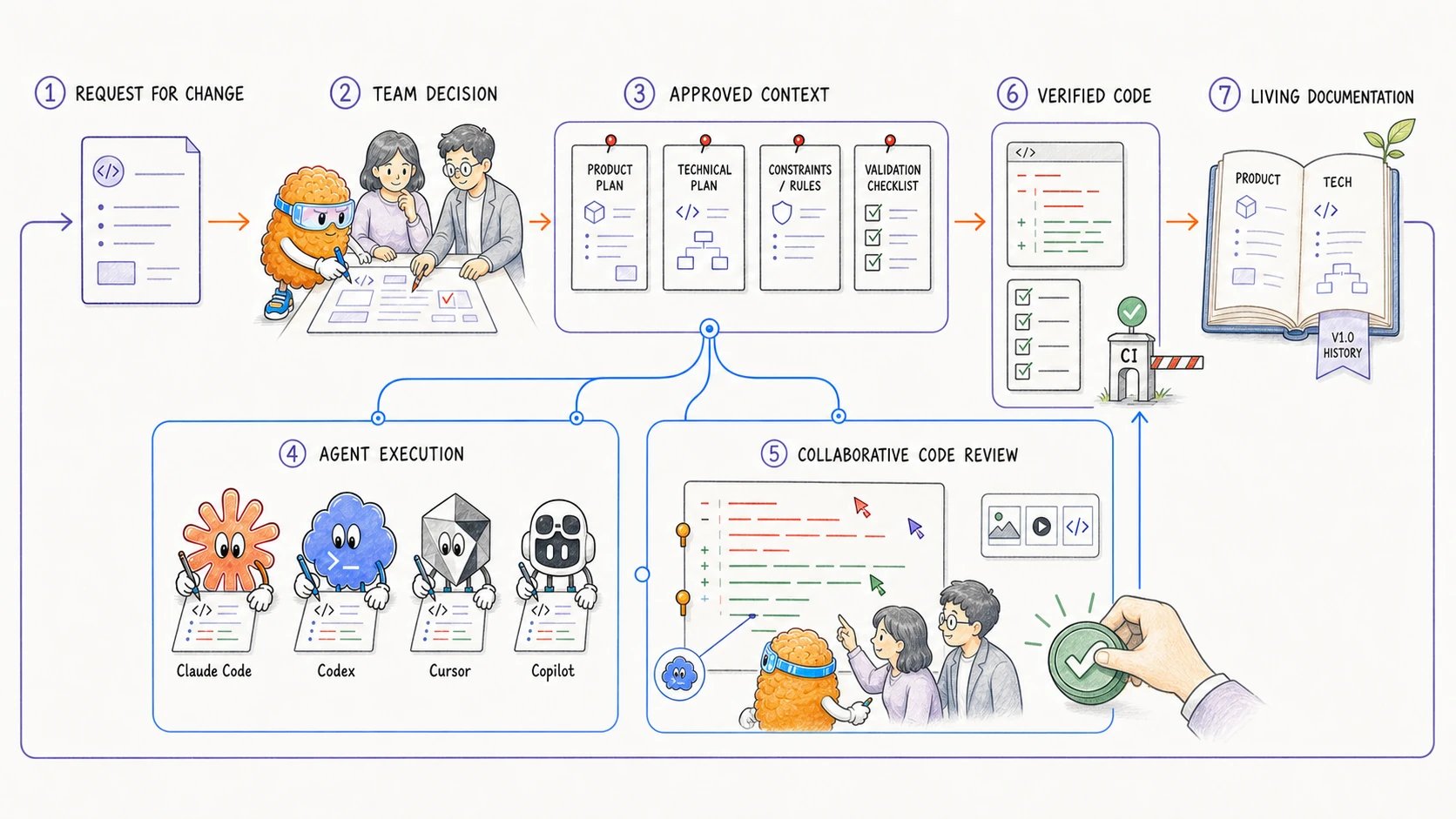
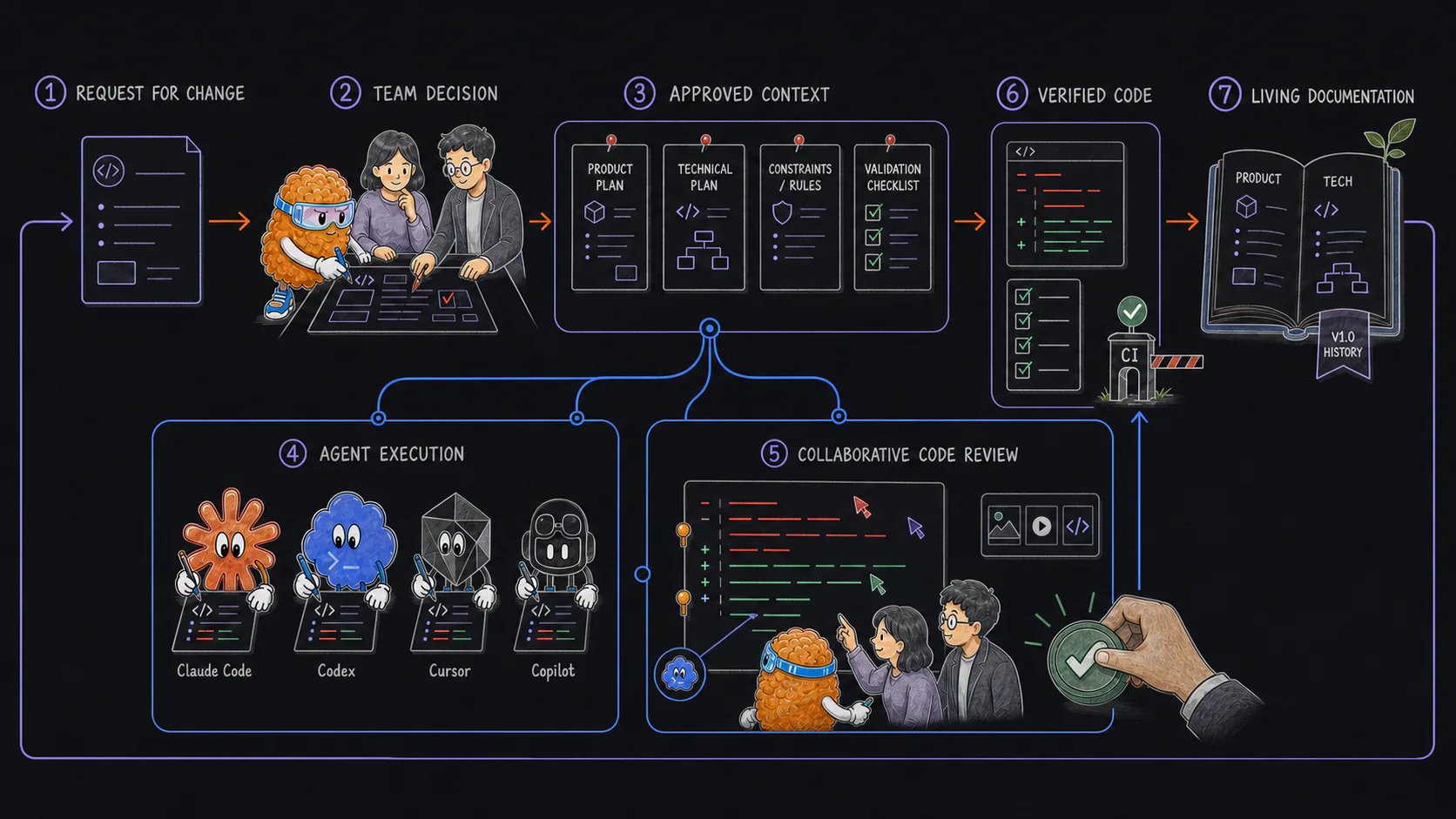 The illustration shows a general team workflow. Its “approved context” label means the project record that authorizes work, such as a reviewed issue, specification, or plan. It does not claim that current Workspaces has approval gates.
## Own more than test output
Agents can investigate, implement, test, and explain. People still have to decide whether the result is valuable, safe, operable, and understandable.
| Quality question | Evidence to inspect |
| --------------------------------------------------------------- | -------------------------------------------------------------------- |
| Does this solve the intended user or operator problem? | Request, plan, product behavior, current screenshots or examples |
| Does it preserve important technical boundaries? | Diff, tests, data and API contracts, security and migration proof |
| Can the team run and reverse it safely? | Rollout, observability, failure handling, rollback or recovery steps |
| Will future people and agents understand the accepted behavior? | Maintained documentation, ADRs, specifications, and source links |
## Define quality before the agent writes code
Passing tests is necessary, but it does not prove that a change solves the right problem. Before implementation, make the expected result reviewable:
* What should change for the user or operator?
* What is out of scope?
* Which architecture, security, data, or compatibility constraints apply?
* What evidence should the agent return?
* What would make you stop, revise the plan, or roll back the change?
For a small, reversible fix, those answers may fit in the agent conversation. For a consequential change, ask for a plan and review it before the agent proceeds.
Open-source Plannotator can pause supported agents in plan mode. Add comments or edit the Markdown, select **Send Feedback**, and use Plan Diff when the agent submits a revision. Select **Approve** when the current local plan is ready for implementation.
Plannotator's approval controls the active agent session. It does not identify a reviewer or create a shared authorization record. If the decision must be visible to other people, save the exact plan in Git, an issue, or another project system.
When several people or agents need to work in one shared planning document, use [Plannotator Workspaces](/workspaces/review-plans-and-technical-decisions). It does not turn version history into named approval or authorization.
## Let the agent work between review points
After you approve the direction, the agent can investigate, implement, test, and explain the change. Ask it to stop when it reaches a decision the plan did not cover, such as an unsafe migration, an incompatible API, or a product behavior that still needs human judgment.
This keeps routine execution moving while preventing the agent from silently choosing a consequential new direction.
## Review the code, not only the handoff
When implementation is complete, compare the returned summary with the actual diff and validation evidence.
Use `plannotator review` for local changes. Plannotator opens a browser diff viewer where you can comment on exact lines or ranges, suggest replacements, and return structured feedback to the active agent session. **Approve** returns the configured code-review approval message; it does not commit, merge, or deploy the change.
For a GitHub pull request or GitLab merge request, open the provider URL with the supported Plannotator review command. Inspect the current diff and any supported artifacts, then use GitHub or GitLab to record comments, review status, and the final merge decision.
Check at least:
* whether the code matches the requested behavior;
* whether the change stays within scope;
* whether tests cover the important success and failure paths;
* whether migrations, security boundaries, and compatibility claims are supported by evidence;
* whether generated screenshots, HTML, reports, or recordings match the current revision; and
* whether maintained documentation now describes the implemented behavior.
An agent can help find bugs or explain unfamiliar code. Verify its findings against the repository and current revision before acting on them.
## Use separate sessions when several people review
Each person runs a separate local review session. Sessions do not share cursor position, annotations, reviewer identity, or review state.
Coordinate multi-person review through the repository provider:
1. Identify the exact commit or pull request revision under review.
2. Record comments and requested changes in GitHub, GitLab, or the project's normal review system.
3. Ask the agent to update the branch.
4. Review the new revision rather than relying on the previous summary.
5. Record the final verdict and merge state in the provider.
For local-only work, commit or otherwise identify a checkpoint before handing the change to another reviewer. Separate Plannotator sessions can then inspect the same repository state without pretending they share live annotations.
## Use the lightest review that controls the risk
More process does not automatically improve quality.
| Change | Useful review path |
| ----------------------------------------------- | --------------------------------------------------------------------------------------- |
| Small, reversible local edit | Focused tests and local diff review |
| Agent plan with uncertain scope | Plan review, feedback, then Plan Diff |
| Change headed for GitHub or GitLab | Provider pull request or merge request plus code review |
| Visual or behavior change | Code diff plus current screenshots, recording, or HTML evidence |
| Security, data, migration, or public API change | Detailed plan, relevant owners in the project's normal system, and targeted code review |
Choose review depth based on the consequence of a mistake, not the amount of code or AI used.
## Keep the record where future work will find it
Local Plannotator sessions return useful feedback to the active agent, but the session is not the long-term record for a project. Preserve what matters in the systems already used to maintain the software:
* commit the implemented code and current documentation to Git;
* keep pull request or merge request discussion with the hosted change;
* record unresolved work in an issue or task tracker; and
* update maintained documentation when the accepted behavior changes.
This gives the next person or agent current repository evidence instead of requiring access to an earlier private session.
Annotate the proposed direction, send feedback, and compare the next version.
Inspect the current diff and return line-specific feedback to the agent.
Open hosted changes in Plannotator while the provider remains the system of record.
Annotate supporting plans, reports, specifications, and rendered artifacts.
## Frequently asked questions
### Does staying in the loop require constant supervision?
No. Review the proposed direction, let the agent execute within that boundary, then review the resulting code and evidence.
### Can several people review the same change with Plannotator OSS?
They can each open the same repository revision or hosted pull request in separate sessions. Use GitHub, GitLab, or another project system to share comments and record the final state.
### Does Plannotator merge or deploy approved code?
No. Local approval returns a result to the agent session. Your repository and provider controls determine what is committed, merged, or deployed.
### Should every AI-generated change have a formal plan?
No. Use plan review when the proposed direction needs scrutiny before implementation. Small changes may be easier to verify directly in the diff.
The illustration shows a general team workflow. Its “approved context” label means the project record that authorizes work, such as a reviewed issue, specification, or plan. It does not claim that current Workspaces has approval gates.
## Own more than test output
Agents can investigate, implement, test, and explain. People still have to decide whether the result is valuable, safe, operable, and understandable.
| Quality question | Evidence to inspect |
| --------------------------------------------------------------- | -------------------------------------------------------------------- |
| Does this solve the intended user or operator problem? | Request, plan, product behavior, current screenshots or examples |
| Does it preserve important technical boundaries? | Diff, tests, data and API contracts, security and migration proof |
| Can the team run and reverse it safely? | Rollout, observability, failure handling, rollback or recovery steps |
| Will future people and agents understand the accepted behavior? | Maintained documentation, ADRs, specifications, and source links |
## Define quality before the agent writes code
Passing tests is necessary, but it does not prove that a change solves the right problem. Before implementation, make the expected result reviewable:
* What should change for the user or operator?
* What is out of scope?
* Which architecture, security, data, or compatibility constraints apply?
* What evidence should the agent return?
* What would make you stop, revise the plan, or roll back the change?
For a small, reversible fix, those answers may fit in the agent conversation. For a consequential change, ask for a plan and review it before the agent proceeds.
Open-source Plannotator can pause supported agents in plan mode. Add comments or edit the Markdown, select **Send Feedback**, and use Plan Diff when the agent submits a revision. Select **Approve** when the current local plan is ready for implementation.
Plannotator's approval controls the active agent session. It does not identify a reviewer or create a shared authorization record. If the decision must be visible to other people, save the exact plan in Git, an issue, or another project system.
When several people or agents need to work in one shared planning document, use [Plannotator Workspaces](/workspaces/review-plans-and-technical-decisions). It does not turn version history into named approval or authorization.
## Let the agent work between review points
After you approve the direction, the agent can investigate, implement, test, and explain the change. Ask it to stop when it reaches a decision the plan did not cover, such as an unsafe migration, an incompatible API, or a product behavior that still needs human judgment.
This keeps routine execution moving while preventing the agent from silently choosing a consequential new direction.
## Review the code, not only the handoff
When implementation is complete, compare the returned summary with the actual diff and validation evidence.
Use `plannotator review` for local changes. Plannotator opens a browser diff viewer where you can comment on exact lines or ranges, suggest replacements, and return structured feedback to the active agent session. **Approve** returns the configured code-review approval message; it does not commit, merge, or deploy the change.
For a GitHub pull request or GitLab merge request, open the provider URL with the supported Plannotator review command. Inspect the current diff and any supported artifacts, then use GitHub or GitLab to record comments, review status, and the final merge decision.
Check at least:
* whether the code matches the requested behavior;
* whether the change stays within scope;
* whether tests cover the important success and failure paths;
* whether migrations, security boundaries, and compatibility claims are supported by evidence;
* whether generated screenshots, HTML, reports, or recordings match the current revision; and
* whether maintained documentation now describes the implemented behavior.
An agent can help find bugs or explain unfamiliar code. Verify its findings against the repository and current revision before acting on them.
## Use separate sessions when several people review
Each person runs a separate local review session. Sessions do not share cursor position, annotations, reviewer identity, or review state.
Coordinate multi-person review through the repository provider:
1. Identify the exact commit or pull request revision under review.
2. Record comments and requested changes in GitHub, GitLab, or the project's normal review system.
3. Ask the agent to update the branch.
4. Review the new revision rather than relying on the previous summary.
5. Record the final verdict and merge state in the provider.
For local-only work, commit or otherwise identify a checkpoint before handing the change to another reviewer. Separate Plannotator sessions can then inspect the same repository state without pretending they share live annotations.
## Use the lightest review that controls the risk
More process does not automatically improve quality.
| Change | Useful review path |
| ----------------------------------------------- | --------------------------------------------------------------------------------------- |
| Small, reversible local edit | Focused tests and local diff review |
| Agent plan with uncertain scope | Plan review, feedback, then Plan Diff |
| Change headed for GitHub or GitLab | Provider pull request or merge request plus code review |
| Visual or behavior change | Code diff plus current screenshots, recording, or HTML evidence |
| Security, data, migration, or public API change | Detailed plan, relevant owners in the project's normal system, and targeted code review |
Choose review depth based on the consequence of a mistake, not the amount of code or AI used.
## Keep the record where future work will find it
Local Plannotator sessions return useful feedback to the active agent, but the session is not the long-term record for a project. Preserve what matters in the systems already used to maintain the software:
* commit the implemented code and current documentation to Git;
* keep pull request or merge request discussion with the hosted change;
* record unresolved work in an issue or task tracker; and
* update maintained documentation when the accepted behavior changes.
This gives the next person or agent current repository evidence instead of requiring access to an earlier private session.
Annotate the proposed direction, send feedback, and compare the next version.
Inspect the current diff and return line-specific feedback to the agent.
Open hosted changes in Plannotator while the provider remains the system of record.
Annotate supporting plans, reports, specifications, and rendered artifacts.
## Frequently asked questions
### Does staying in the loop require constant supervision?
No. Review the proposed direction, let the agent execute within that boundary, then review the resulting code and evidence.
### Can several people review the same change with Plannotator OSS?
They can each open the same repository revision or hosted pull request in separate sessions. Use GitHub, GitLab, or another project system to share comments and record the final state.
### Does Plannotator merge or deploy approved code?
No. Local approval returns a result to the agent session. Your repository and provider controls determine what is committed, merged, or deployed.
### Should every AI-generated change have a formal plan?
No. Use plan review when the proposed direction needs scrutiny before implementation. Small changes may be easier to verify directly in the diff.