> ## Documentation Index
> Fetch the complete documentation index at: https://docs.plannotator.ai/llms.txt
> Use this file to discover all available pages before exploring further.
# HTML Wireframes and Prototypes for Coding Agents
> Design the interface yourself and iterate in the browser before anyone writes production code. Use a coding agent and one HTML file to test structure, visual direction, and interaction.
You do not have to wait for a designer or a Figma pass to make the idea visible. A coding agent can turn the brief into an HTML interface, revise it with you in the browser, and keep iterating until the team knows what to build.
Plannotator packages this workflow for coding agents in [Effective HTML](https://github.com/plannotator/effective-html), its open-source skill repository.
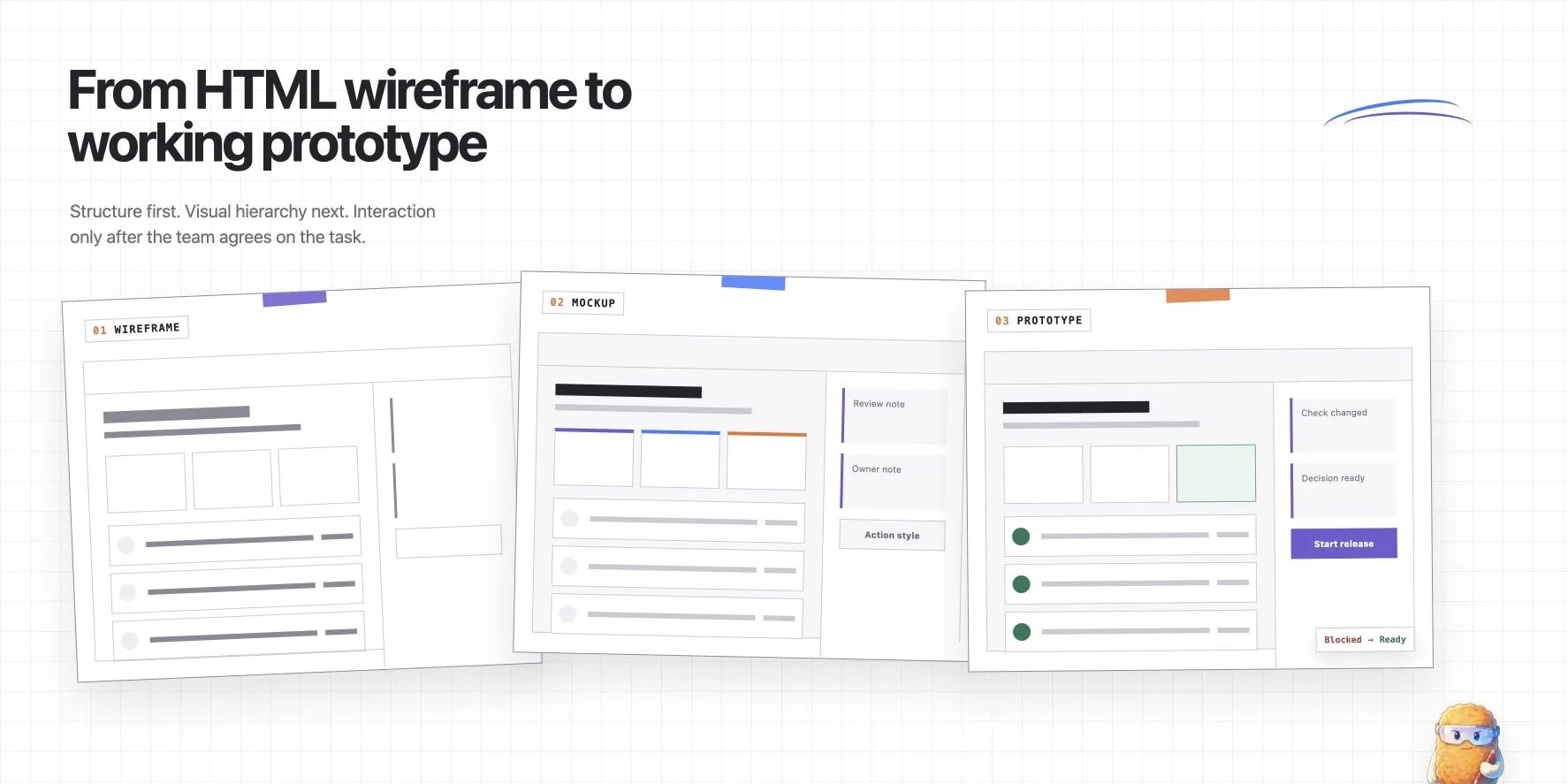
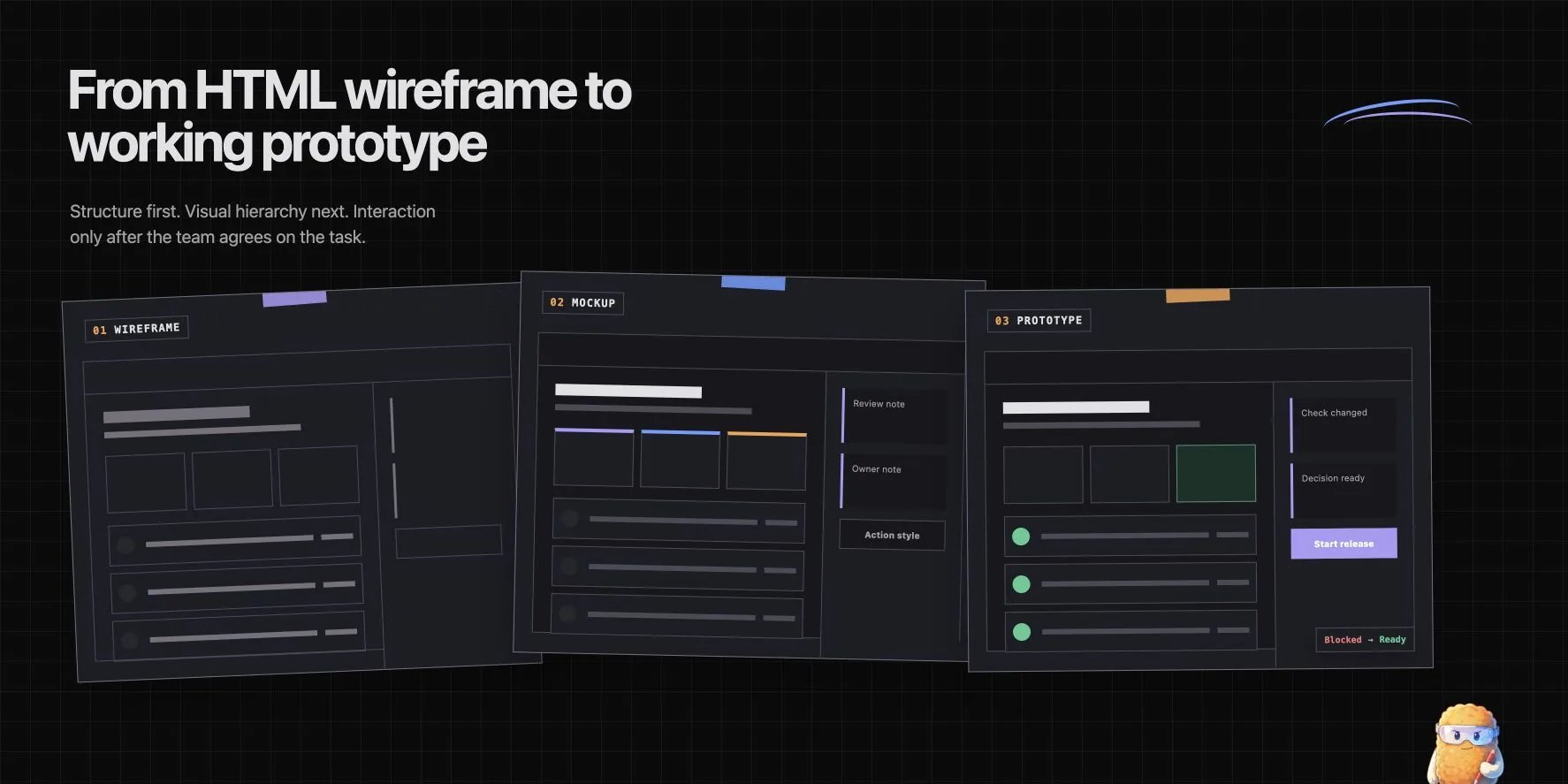
An **HTML wireframe** is a low-fidelity web page used to test structure, content, and task order. Make one when a coding agent and reviewer still need to decide what belongs on the screen.
An **HTML mockup** applies visual hierarchy, spacing, color, typography, and responsive layout to the agreed structure. Make one when the team needs to judge appearance before it spends time on behavior.
An **HTML prototype** adds the smallest useful interactions and state changes. Make one when reviewers need to click through a flow, test a transition, or see how the interface responds to input.
*Published July 29, 2026, by the Plannotator documentation team. Last reviewed July 29, 2026. Maintained by the Plannotator project.*
 ## Design the interface before you code it
The browser becomes the design surface. Ask the agent to move a section, change the hierarchy, try another visual direction, or wire the critical interaction. You see each revision immediately, while changing course still means editing one HTML file.
For a bounded screen or flow, one HTML file can take the place of separate sketch, static mockup, and clickable-demo passes. Reviewers work against the actual hierarchy and behavior in the browser instead of waiting for the idea to be rebuilt in another tool. Move into a dedicated design tool when the work needs its component libraries, vector editing, multiplayer workflows, or formal design handoff.
Judge efficiency across the whole loop. HTML may use more tokens than a Markdown plan. It can still save tokens overall if the visible artifact prevents an implementation pass on the wrong structure or behavior. Stop when the artifact answers the current question. Many tasks need only a wireframe or a focused prototype.
Anthropic engineer Thariq Shihipar describes this working style in [The unreasonable effectiveness of HTML](https://claude.com/blog/using-claude-code-the-unreasonable-effectiveness-of-html). He uses HTML to compare options, expand ideas into mockups, and then write an implementation plan. The format is valuable because it keeps the human engaged with the choices instead of handing those choices to the agent.
[Geoffrey Litt argues that understanding is now the bottleneck](https://www.geoffreylitt.com/2026/07/02/understanding-is-the-new-bottleneck.html) when agents can produce code faster than people can follow it. He uses explainers, interactive figures, and shared Notion pages to help people build intuition and participate in the next decision. An HTML wireframe or prototype serves the same purpose before implementation: it gives a person, a team, and an agent one visible object to question together.
## How do an HTML wireframe, mockup, and prototype differ?
| Review question | HTML wireframe | HTML mockup | HTML prototype |
| ------------------------- | ------------------------------------------------------------------- | --------------------------------------------------------------------------- | -------------------------------------------------------------------------- |
| **Purpose** | Decide what the interface contains and how the task is ordered | Decide how the agreed structure should look and respond to screen size | Test the important behavior, states, and transitions |
| **Fidelity** | Low. Real labels and content, restrained presentation | Medium to high. Representative visual system and responsive layout | Only as high as the tested flow requires |
| **Interaction** | Links or controls may be inert | Usually static, even if controls look finished | Working controls for the chosen scenario |
| **Time and cost** | Lowest. Usually the fastest way to test a bounded screen | More visual iteration and breakpoint work, but no production components yet | More state logic and testing, but only for the chosen flow |
| **Best review questions** | Is anything missing? Is the order right? Is the primary task clear? | Is the hierarchy clear? Is the layout readable and consistent? | Can a user complete the task? Are state changes and recovery paths clear? |
| **Do not decide yet** | Final color, typography, animation, component implementation | Production data flow, authorization, performance, final edge-case behavior | Production architecture or whether the shipped code passes its real checks |
Use only the stages that answer an open question. A team may stop at a wireframe because the structure is settled. It may jump from a sketch to a prototype when behavior is the main uncertainty.
## Start with one product brief
The brief is the first alignment boundary. Keep the same brief through all three stages. Changing the problem while increasing fidelity makes it hard to tell whether feedback concerns the product or the presentation.
This guide uses a fictional release-readiness page for Atlas Mobile 4.8:
* A release manager must decide whether one release candidate can go to production.
* The page must show the commit, owner, four required checks, supporting evidence, open risks, reviewer notes, and current decision.
* The page starts blocked because the iOS smoke test failed.
* A passing rerun changes the release from blocked to ready and enables the release action.
* The prototype must not start a real deployment, authenticate a user, or load live build data.
The exercise stops at the release decision. The agent does not need to invent authentication, live data, or deployment behavior to answer it.
## Keep the artifact structure visible
Store the brief, state model, HTML, and review notes together:
```text theme={null}
html-wireframes-prototypes/
├── brief.md
├── release-readiness.html
├── states.md
└── review-notes.md
```
The example uses one self-contained HTML file with `wireframe`, `mockup`, and `prototype` modes. Separate files also work, but shared content can drift unless the agent updates each copy deliberately.
The supporting files have distinct jobs:
* `brief.md` fixes the user, task, required information, behavior, and non-goals.
* `release-readiness.html` contains the visible artifact and the prototype logic.
* `states.md` names each state, its trigger, visible result, and available action.
* `review-notes.md` separates accepted decisions from open questions.
## Stage 1: make the HTML wireframe
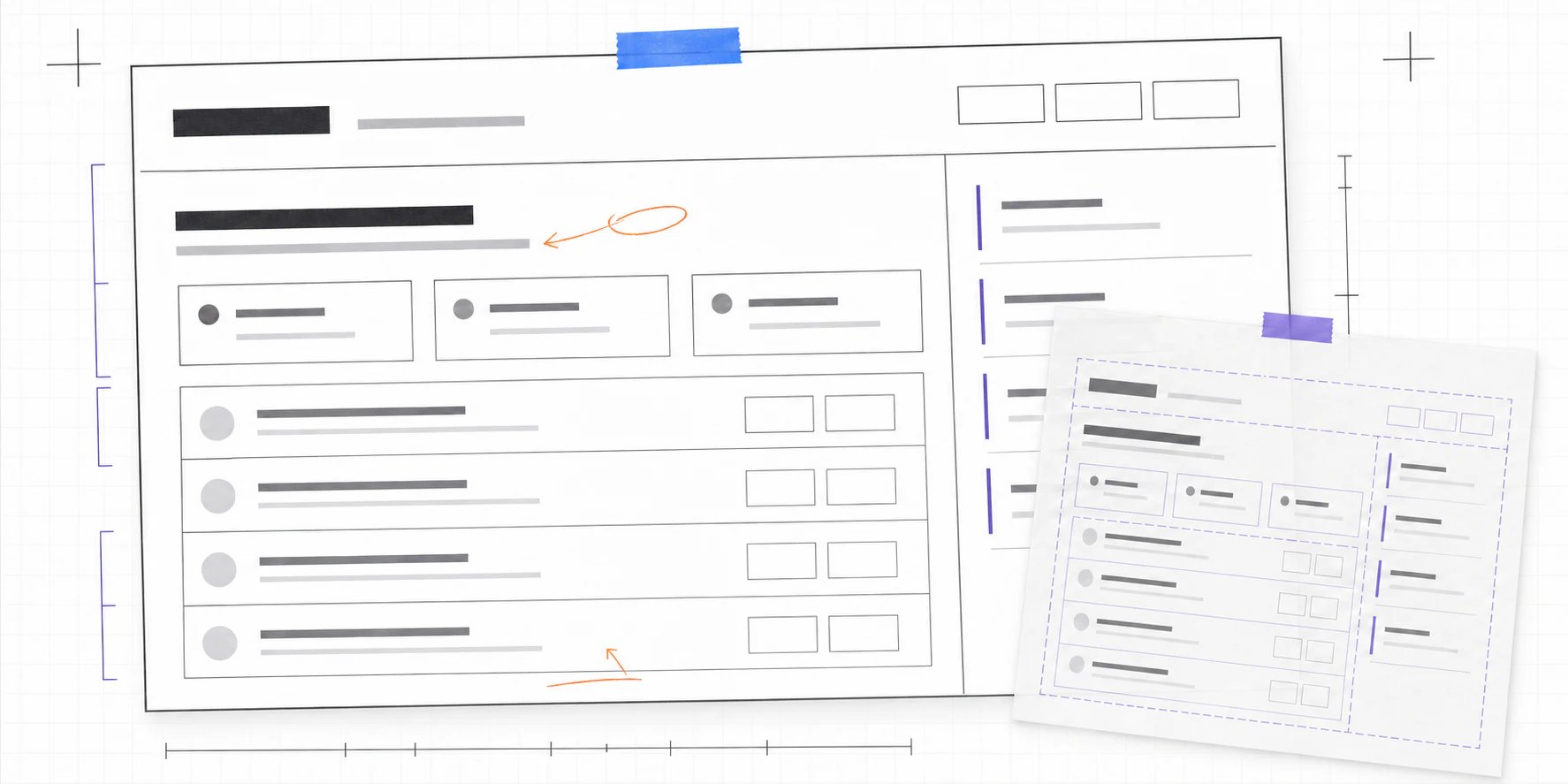
Use real headings, labels, controls, and representative content. Low fidelity does not mean unlabeled gray boxes. Reviewers need enough detail to judge whether the screen supports the task.
The release wireframe includes:
* a header with the release candidate, commit, and owner;
* a summary of checks passed, open risks, and release state;
* four named checks with evidence;
* a reviewer-notes area;
* a blocked decision and its next action.
It leaves out the final palette, shadows, rounded corners, animation, and production components. The primary question is whether a release manager can find the information needed to decide.
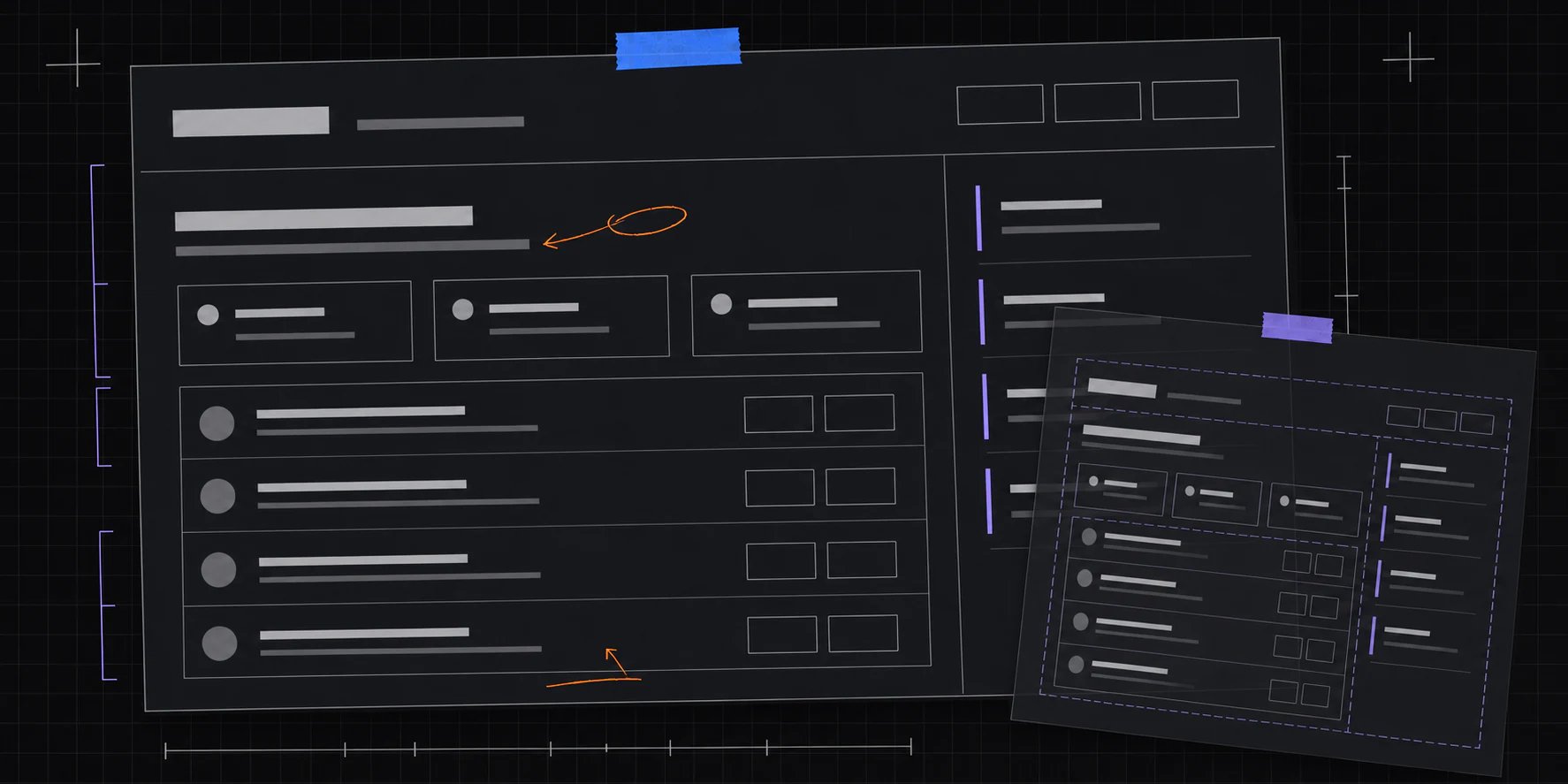
The focused view below exposes grouping, measurement, and hierarchy without suggesting that the surface design is finished.
## Design the interface before you code it
The browser becomes the design surface. Ask the agent to move a section, change the hierarchy, try another visual direction, or wire the critical interaction. You see each revision immediately, while changing course still means editing one HTML file.
For a bounded screen or flow, one HTML file can take the place of separate sketch, static mockup, and clickable-demo passes. Reviewers work against the actual hierarchy and behavior in the browser instead of waiting for the idea to be rebuilt in another tool. Move into a dedicated design tool when the work needs its component libraries, vector editing, multiplayer workflows, or formal design handoff.
Judge efficiency across the whole loop. HTML may use more tokens than a Markdown plan. It can still save tokens overall if the visible artifact prevents an implementation pass on the wrong structure or behavior. Stop when the artifact answers the current question. Many tasks need only a wireframe or a focused prototype.
Anthropic engineer Thariq Shihipar describes this working style in [The unreasonable effectiveness of HTML](https://claude.com/blog/using-claude-code-the-unreasonable-effectiveness-of-html). He uses HTML to compare options, expand ideas into mockups, and then write an implementation plan. The format is valuable because it keeps the human engaged with the choices instead of handing those choices to the agent.
[Geoffrey Litt argues that understanding is now the bottleneck](https://www.geoffreylitt.com/2026/07/02/understanding-is-the-new-bottleneck.html) when agents can produce code faster than people can follow it. He uses explainers, interactive figures, and shared Notion pages to help people build intuition and participate in the next decision. An HTML wireframe or prototype serves the same purpose before implementation: it gives a person, a team, and an agent one visible object to question together.
## How do an HTML wireframe, mockup, and prototype differ?
| Review question | HTML wireframe | HTML mockup | HTML prototype |
| ------------------------- | ------------------------------------------------------------------- | --------------------------------------------------------------------------- | -------------------------------------------------------------------------- |
| **Purpose** | Decide what the interface contains and how the task is ordered | Decide how the agreed structure should look and respond to screen size | Test the important behavior, states, and transitions |
| **Fidelity** | Low. Real labels and content, restrained presentation | Medium to high. Representative visual system and responsive layout | Only as high as the tested flow requires |
| **Interaction** | Links or controls may be inert | Usually static, even if controls look finished | Working controls for the chosen scenario |
| **Time and cost** | Lowest. Usually the fastest way to test a bounded screen | More visual iteration and breakpoint work, but no production components yet | More state logic and testing, but only for the chosen flow |
| **Best review questions** | Is anything missing? Is the order right? Is the primary task clear? | Is the hierarchy clear? Is the layout readable and consistent? | Can a user complete the task? Are state changes and recovery paths clear? |
| **Do not decide yet** | Final color, typography, animation, component implementation | Production data flow, authorization, performance, final edge-case behavior | Production architecture or whether the shipped code passes its real checks |
Use only the stages that answer an open question. A team may stop at a wireframe because the structure is settled. It may jump from a sketch to a prototype when behavior is the main uncertainty.
## Start with one product brief
The brief is the first alignment boundary. Keep the same brief through all three stages. Changing the problem while increasing fidelity makes it hard to tell whether feedback concerns the product or the presentation.
This guide uses a fictional release-readiness page for Atlas Mobile 4.8:
* A release manager must decide whether one release candidate can go to production.
* The page must show the commit, owner, four required checks, supporting evidence, open risks, reviewer notes, and current decision.
* The page starts blocked because the iOS smoke test failed.
* A passing rerun changes the release from blocked to ready and enables the release action.
* The prototype must not start a real deployment, authenticate a user, or load live build data.
The exercise stops at the release decision. The agent does not need to invent authentication, live data, or deployment behavior to answer it.
## Keep the artifact structure visible
Store the brief, state model, HTML, and review notes together:
```text theme={null}
html-wireframes-prototypes/
├── brief.md
├── release-readiness.html
├── states.md
└── review-notes.md
```
The example uses one self-contained HTML file with `wireframe`, `mockup`, and `prototype` modes. Separate files also work, but shared content can drift unless the agent updates each copy deliberately.
The supporting files have distinct jobs:
* `brief.md` fixes the user, task, required information, behavior, and non-goals.
* `release-readiness.html` contains the visible artifact and the prototype logic.
* `states.md` names each state, its trigger, visible result, and available action.
* `review-notes.md` separates accepted decisions from open questions.
## Stage 1: make the HTML wireframe
Use real headings, labels, controls, and representative content. Low fidelity does not mean unlabeled gray boxes. Reviewers need enough detail to judge whether the screen supports the task.
The release wireframe includes:
* a header with the release candidate, commit, and owner;
* a summary of checks passed, open risks, and release state;
* four named checks with evidence;
* a reviewer-notes area;
* a blocked decision and its next action.
It leaves out the final palette, shadows, rounded corners, animation, and production components. The primary question is whether a release manager can find the information needed to decide.
The focused view below exposes grouping, measurement, and hierarchy without suggesting that the surface design is finished.
 Give the agent a bounded instruction:
```text theme={null}
Read brief.md and states.md. Create one self-contained, responsive HTML wireframe.
Use semantic headings, sections, lists, and native controls. Use real copy from
the brief. Keep the presentation grayscale and restrained. Show the blocked
state, but do not implement interactions yet.
Review target: content, information hierarchy, task order, and missing states.
Do not choose final colors, typography, animation, or component architecture.
```
Review the wireframe with questions that can change its structure:
* Does the page answer “Can this build go to production?” without another screen?
* Are machine results and reviewer notes visibly separate?
* Is the failed check specific enough to investigate?
* Is the next action clear while release remains blocked?
* What information could be removed without weakening the decision?
If the structure is still open, ask the agent for two or three materially different wireframes in one HTML file. Compare them in one review, choose one, and discard the rest. This is faster than styling the first plausible idea and learning later that its structure was wrong.
## Stage 2: turn it into an HTML mockup
Freeze the structure before styling it. The mockup should preserve the same information, order, and states unless the visual pass exposes a structural problem.
For the release example, the mockup adds:
* Plannotator-adjacent violet, blue, and orange accents;
* a stronger visual distinction between evidence, notes, and the decision;
* readable spacing and type hierarchy;
* a compact desktop summary that becomes a single column on narrow screens;
* visible pass, fail, blocked, and ready colors with text labels.
Keep the release logic out of the mockup. Its controls can remain inert because the review question is visual.
```text theme={null}
Use the approved wireframe as the source. Preserve its content, DOM order,
labels, and states.
Apply the product's existing color, type, spacing, border, and focus tokens.
Create a responsive layout for wide desktop and narrow mobile widths. Keep pass,
fail, blocked, and ready understandable without color alone.
Review target: hierarchy, scanability, contrast, responsive behavior, and fit
with the existing design system. Do not add new product behavior.
```
Compare the mockup with the wireframe rather than reviewing it in isolation. Any missing field or changed task order should be an explicit decision, not a side effect of styling.
This is the cheapest point to reject a visual direction. The next pass should change CSS and layout, not rewrite production components.
## Stage 3: make the interactive HTML prototype
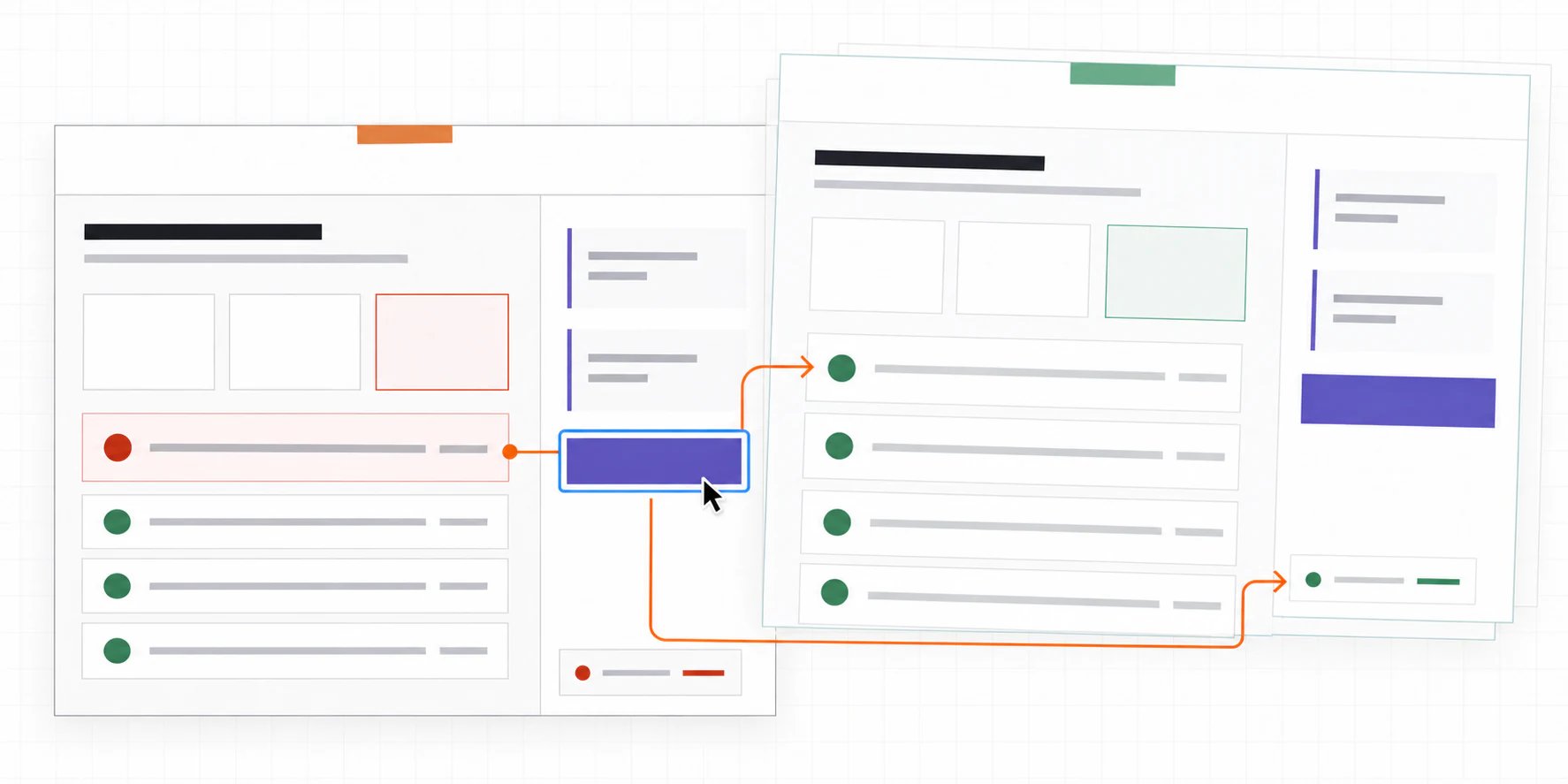
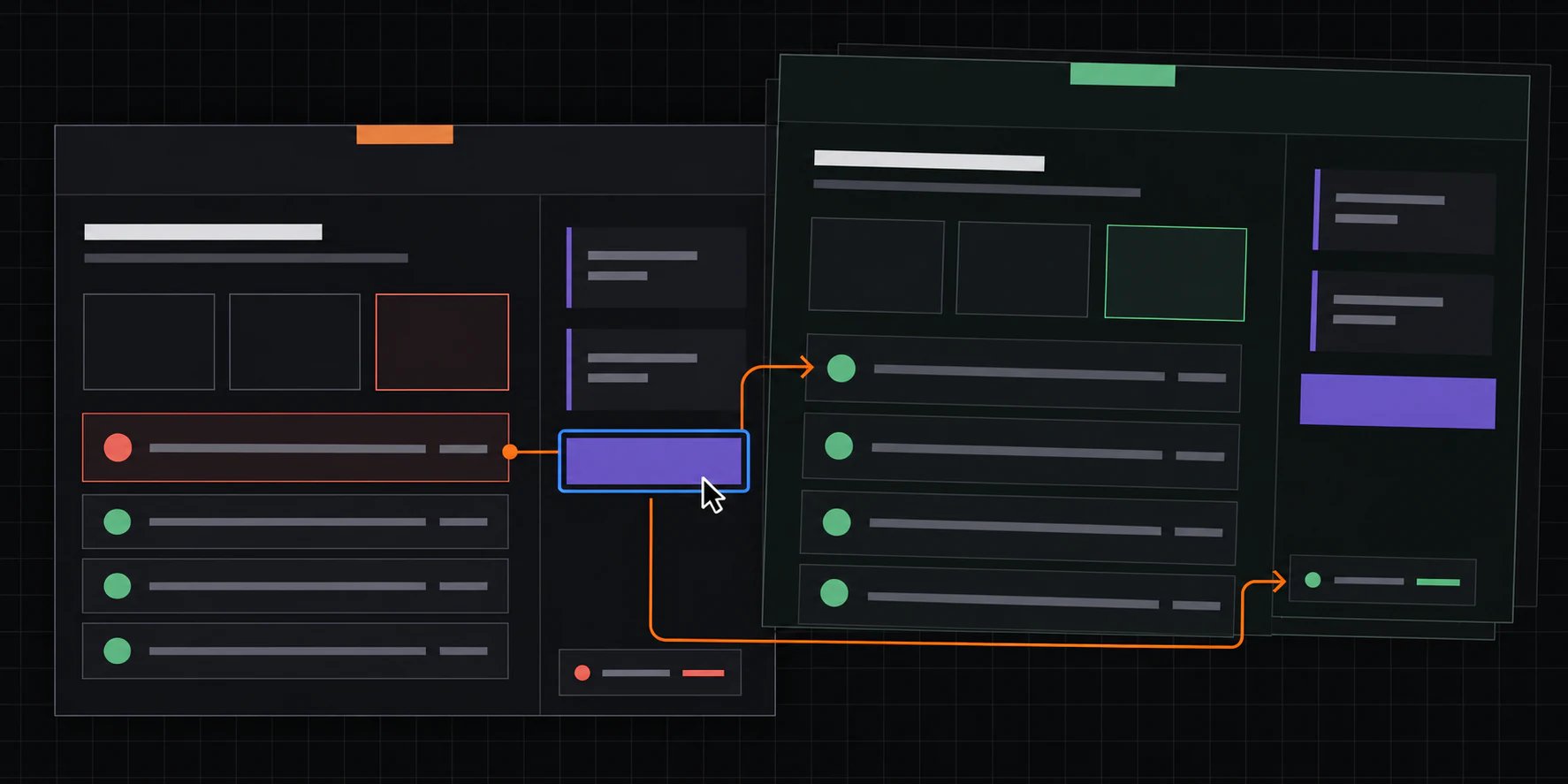
Add only the behavior needed to answer the unresolved interaction question. For Atlas Mobile, that question is: what changes after a reviewer records a passing smoke-test rerun?
The prototype implements one flow:
1. The page starts with 3 of 4 checks passed and the release blocked.
2. The reviewer records a passing iOS smoke test.
3. The failed check changes to pass.
4. The summary changes to 4 of 4.
5. The decision announces that the release is ready.
6. The production-release action becomes available.
Keep authorization, live data, persistence, audit history, real network requests, and deployment behavior out of this prototype. The local save flow simulates an evidence-service failure and retry so reviewers can test error feedback and recovery without calling a real service.
Once reviewers accept the transition, the artifact becomes a concrete reference for implementation. The coding agent can inspect the state names, visible results, and accepted interaction instead of inferring them again from prose.
The focused prototype view keeps one interaction path in frame: the blocked state, the action and its keyboard focus, the visible feedback, and the ready result.
Give the agent a bounded instruction:
```text theme={null}
Read brief.md and states.md. Create one self-contained, responsive HTML wireframe.
Use semantic headings, sections, lists, and native controls. Use real copy from
the brief. Keep the presentation grayscale and restrained. Show the blocked
state, but do not implement interactions yet.
Review target: content, information hierarchy, task order, and missing states.
Do not choose final colors, typography, animation, or component architecture.
```
Review the wireframe with questions that can change its structure:
* Does the page answer “Can this build go to production?” without another screen?
* Are machine results and reviewer notes visibly separate?
* Is the failed check specific enough to investigate?
* Is the next action clear while release remains blocked?
* What information could be removed without weakening the decision?
If the structure is still open, ask the agent for two or three materially different wireframes in one HTML file. Compare them in one review, choose one, and discard the rest. This is faster than styling the first plausible idea and learning later that its structure was wrong.
## Stage 2: turn it into an HTML mockup
Freeze the structure before styling it. The mockup should preserve the same information, order, and states unless the visual pass exposes a structural problem.
For the release example, the mockup adds:
* Plannotator-adjacent violet, blue, and orange accents;
* a stronger visual distinction between evidence, notes, and the decision;
* readable spacing and type hierarchy;
* a compact desktop summary that becomes a single column on narrow screens;
* visible pass, fail, blocked, and ready colors with text labels.
Keep the release logic out of the mockup. Its controls can remain inert because the review question is visual.
```text theme={null}
Use the approved wireframe as the source. Preserve its content, DOM order,
labels, and states.
Apply the product's existing color, type, spacing, border, and focus tokens.
Create a responsive layout for wide desktop and narrow mobile widths. Keep pass,
fail, blocked, and ready understandable without color alone.
Review target: hierarchy, scanability, contrast, responsive behavior, and fit
with the existing design system. Do not add new product behavior.
```
Compare the mockup with the wireframe rather than reviewing it in isolation. Any missing field or changed task order should be an explicit decision, not a side effect of styling.
This is the cheapest point to reject a visual direction. The next pass should change CSS and layout, not rewrite production components.
## Stage 3: make the interactive HTML prototype
Add only the behavior needed to answer the unresolved interaction question. For Atlas Mobile, that question is: what changes after a reviewer records a passing smoke-test rerun?
The prototype implements one flow:
1. The page starts with 3 of 4 checks passed and the release blocked.
2. The reviewer records a passing iOS smoke test.
3. The failed check changes to pass.
4. The summary changes to 4 of 4.
5. The decision announces that the release is ready.
6. The production-release action becomes available.
Keep authorization, live data, persistence, audit history, real network requests, and deployment behavior out of this prototype. The local save flow simulates an evidence-service failure and retry so reviewers can test error feedback and recovery without calling a real service.
Once reviewers accept the transition, the artifact becomes a concrete reference for implementation. The coding agent can inspect the state names, visible results, and accepted interaction instead of inferring them again from prose.
The focused prototype view keeps one interaction path in frame: the blocked state, the action and its keyboard focus, the visible feedback, and the ready result.
 ```text theme={null}
Preserve the approved mockup. Implement only the blocked-to-ready flow in
states.md.
Use native buttons and a complete keyboard path. Announce the decision change
through an aria-live status. Keep the release action disabled until all four
checks pass. Make the final action explain that this is a prototype rather than
starting a real release.
Review target: trigger, state transition, feedback, focus behavior, keyboard
operation, and the point where the real system would take over.
```
W3C's [WCAG 2.2 keyboard requirements](https://www.w3.org/TR/WCAG22/#keyboard-accessible) apply to prototypes too. A clickable mockup that cannot be operated from a keyboard may hide a problem the production team later has to undo.
## Why does HTML make this loop faster?
HTML combines the plan and the visible result in one inspectable file. A static picture can show appearance. A prose plan can describe behavior. HTML can show both, then let a reviewer test the transition that connects them.
That shortens the distance between an idea, evidence, and a revision:
* **Inspectable:** Browser developer tools expose the DOM, CSS, dimensions, roles, names, and focus behavior. Chrome documents how its [Inspect mode reveals element and accessibility properties](https://developer.chrome.com/docs/devtools/inspect-mode).
* **Editable:** Reviewers or agents can change the source with ordinary text tools and track those changes in Git.
* **Responsive:** One artifact can use flexible layout and media queries instead of maintaining separate desktop and mobile pictures. MDN explains the relevant [responsive-design techniques](https://developer.mozilla.org/en-US/docs/Learn_web_development/Core/CSS_layout/Responsive_Design).
* **Runnable:** A browser can exercise controls, state changes, validation, and focus order without building the production application.
* **Reviewable:** A team can annotate the rendered page, inspect the source diff, and hand exact feedback back to a person or coding agent.
Use HTML when the reviewer needs to see structure and behavior together. Use a paper sketch, a short Markdown decision, or a static image when one of them answers the question with less work.
The existing [HTML versus Markdown guide](/learn/code-context/ai-agent-html-vs-markdown) explains when HTML earns its extra source and security cost.
## How should a person or coding agent review the artifact?
Name the stage before giving feedback. “The page feels wrong” does not tell the agent which decisions may change.
Use these targets:
| Stage | Exact feedback targets |
| --------- | --------------------------------------------------------------------------------------------------------------------------------------------------------- |
| Wireframe | Missing information, wrong grouping, task order, primary action, decision boundary, and failure paths |
| Mockup | Visual hierarchy, spacing, type scale, contrast, responsive reflow, design-system fit, and whether state meaning survives without color |
| Prototype | Trigger, state transition, loading and error behavior, keyboard path, focus movement, status announcements, reversibility, and handoff to the real system |
A useful comment names the location, observed problem, requested change, and acceptance check:
> Prototype, blocked-to-ready transition: the summary stays at 3 / 4 after the smoke test passes. Update it to 4 / 4, announce the ready state, and keep the release action disabled until both changes occur.
Another coding agent can review the same targets. Ask it to compare the artifact with `brief.md` and `states.md`, report contradictions, and test the named flow. Do not ask it whether the interface is “good.” Give it the same bounded questions a human reviewer receives.
End the review with explicit decisions:
* **Structure accepted:** required content, grouping, task order, and primary action are settled.
* **Visual direction accepted:** hierarchy, responsive behavior, and state treatment are settled.
* **Tested behavior accepted:** the named trigger, transition, feedback, and recovery path are settled.
* **Production questions recorded:** data, permissions, failures, performance, and implementation details remain visible rather than being guessed.
Implementation can now begin from an agreed reference. If one of those decisions is still open, revise the artifact first.
To review the rendered file with [Plannotator](https://plannotator.ai/):
```bash theme={null}
plannotator annotate release-readiness.html
```
Plannotator renders local HTML in a sandboxed iframe and can return selected-text or pinpoint feedback to the active coding-agent session. Its sandbox still permits the HTML to make outbound requests, so keep review artifacts self-contained and inspect untrusted scripts. See the current [open-source HTML annotation workflow](/open-source/workflows/html).
## Where does Effective HTML fit?
[Effective HTML](https://github.com/plannotator/effective-html) is the companion skill repository for producing self-contained HTML artifacts. Its current [`html` skill](https://github.com/plannotator/effective-html/tree/main/skills/html) covers explainers, comparisons, decks, and prototypes, and its bundled examples include prototype animation and interaction.
Effective HTML now includes the dedicated [`html-wireframe`](https://github.com/plannotator/effective-html/tree/main/skills/html-wireframe) skill for low-fidelity structure and the [`html-prototype`](https://github.com/plannotator/effective-html/tree/main/skills/html-prototype) skill for styled mockups and working interaction. Together they package this progression directly, from restrained structural choices to focused interaction tests.
Use Effective HTML to give an agent a stronger visual starting point and a repeatable way to create the artifact. Pair it with the brief, state model, review questions, and acceptance checks so each revision answers an explicit product question.
## Choose the next tool by the unresolved question
Keep working in HTML while reviewers are deciding structure, visual direction, or a bounded interaction. Switch when the next question depends on a capability the artifact does not have.
* Move to Figma or another shared design tool when the work depends on its component libraries, vector editing, multiplayer design workflows, or formal handoff.
* Move to production code when the question depends on real data, framework components, permissions, performance, or integrations.
* Record the accepted decision in Markdown when it needs to remain readable and editable without the browser artifact.
* Start with paper or a whiteboard when drawing the first structure is faster than asking an agent to build it.
Choose the least expensive artifact that makes the current uncertainty testable.
## Frequently asked questions
### Is an HTML wireframe the same as an HTML mockup?
No. An HTML wireframe tests structure, content, and task order with restrained presentation. An HTML mockup applies a representative visual system to that structure so reviewers can judge hierarchy, spacing, color, typography, and responsive layout.
### What makes an HTML mockup a prototype?
The artifact becomes a prototype when its behavior is part of the review. Working controls, transitions, validation, loading, errors, or recovery paths let reviewers test what happens, not only how the screen looks.
### Should a coding agent start with a wireframe?
Start with a wireframe when the content, grouping, or flow is uncertain. Skip it when the product already has an approved structure and the open question is visual or interactive.
### Is this a hosted AI wireframe generator?
No. This is a file-based workflow for people and coding agents. Effective HTML provides skills and examples for creating HTML artifacts. Plannotator opens and annotates the resulting files. Neither is presented here as an online AI wireframe generator.
### Can a prototype become the production interface?
Sometimes. A prototype built with the production framework and components may be ready to integrate. A standalone HTML artifact is usually the reference for the accepted behavior, which the team then connects to the application's data, permissions, tests, security boundaries, and performance requirements.
```text theme={null}
Preserve the approved mockup. Implement only the blocked-to-ready flow in
states.md.
Use native buttons and a complete keyboard path. Announce the decision change
through an aria-live status. Keep the release action disabled until all four
checks pass. Make the final action explain that this is a prototype rather than
starting a real release.
Review target: trigger, state transition, feedback, focus behavior, keyboard
operation, and the point where the real system would take over.
```
W3C's [WCAG 2.2 keyboard requirements](https://www.w3.org/TR/WCAG22/#keyboard-accessible) apply to prototypes too. A clickable mockup that cannot be operated from a keyboard may hide a problem the production team later has to undo.
## Why does HTML make this loop faster?
HTML combines the plan and the visible result in one inspectable file. A static picture can show appearance. A prose plan can describe behavior. HTML can show both, then let a reviewer test the transition that connects them.
That shortens the distance between an idea, evidence, and a revision:
* **Inspectable:** Browser developer tools expose the DOM, CSS, dimensions, roles, names, and focus behavior. Chrome documents how its [Inspect mode reveals element and accessibility properties](https://developer.chrome.com/docs/devtools/inspect-mode).
* **Editable:** Reviewers or agents can change the source with ordinary text tools and track those changes in Git.
* **Responsive:** One artifact can use flexible layout and media queries instead of maintaining separate desktop and mobile pictures. MDN explains the relevant [responsive-design techniques](https://developer.mozilla.org/en-US/docs/Learn_web_development/Core/CSS_layout/Responsive_Design).
* **Runnable:** A browser can exercise controls, state changes, validation, and focus order without building the production application.
* **Reviewable:** A team can annotate the rendered page, inspect the source diff, and hand exact feedback back to a person or coding agent.
Use HTML when the reviewer needs to see structure and behavior together. Use a paper sketch, a short Markdown decision, or a static image when one of them answers the question with less work.
The existing [HTML versus Markdown guide](/learn/code-context/ai-agent-html-vs-markdown) explains when HTML earns its extra source and security cost.
## How should a person or coding agent review the artifact?
Name the stage before giving feedback. “The page feels wrong” does not tell the agent which decisions may change.
Use these targets:
| Stage | Exact feedback targets |
| --------- | --------------------------------------------------------------------------------------------------------------------------------------------------------- |
| Wireframe | Missing information, wrong grouping, task order, primary action, decision boundary, and failure paths |
| Mockup | Visual hierarchy, spacing, type scale, contrast, responsive reflow, design-system fit, and whether state meaning survives without color |
| Prototype | Trigger, state transition, loading and error behavior, keyboard path, focus movement, status announcements, reversibility, and handoff to the real system |
A useful comment names the location, observed problem, requested change, and acceptance check:
> Prototype, blocked-to-ready transition: the summary stays at 3 / 4 after the smoke test passes. Update it to 4 / 4, announce the ready state, and keep the release action disabled until both changes occur.
Another coding agent can review the same targets. Ask it to compare the artifact with `brief.md` and `states.md`, report contradictions, and test the named flow. Do not ask it whether the interface is “good.” Give it the same bounded questions a human reviewer receives.
End the review with explicit decisions:
* **Structure accepted:** required content, grouping, task order, and primary action are settled.
* **Visual direction accepted:** hierarchy, responsive behavior, and state treatment are settled.
* **Tested behavior accepted:** the named trigger, transition, feedback, and recovery path are settled.
* **Production questions recorded:** data, permissions, failures, performance, and implementation details remain visible rather than being guessed.
Implementation can now begin from an agreed reference. If one of those decisions is still open, revise the artifact first.
To review the rendered file with [Plannotator](https://plannotator.ai/):
```bash theme={null}
plannotator annotate release-readiness.html
```
Plannotator renders local HTML in a sandboxed iframe and can return selected-text or pinpoint feedback to the active coding-agent session. Its sandbox still permits the HTML to make outbound requests, so keep review artifacts self-contained and inspect untrusted scripts. See the current [open-source HTML annotation workflow](/open-source/workflows/html).
## Where does Effective HTML fit?
[Effective HTML](https://github.com/plannotator/effective-html) is the companion skill repository for producing self-contained HTML artifacts. Its current [`html` skill](https://github.com/plannotator/effective-html/tree/main/skills/html) covers explainers, comparisons, decks, and prototypes, and its bundled examples include prototype animation and interaction.
Effective HTML now includes the dedicated [`html-wireframe`](https://github.com/plannotator/effective-html/tree/main/skills/html-wireframe) skill for low-fidelity structure and the [`html-prototype`](https://github.com/plannotator/effective-html/tree/main/skills/html-prototype) skill for styled mockups and working interaction. Together they package this progression directly, from restrained structural choices to focused interaction tests.
Use Effective HTML to give an agent a stronger visual starting point and a repeatable way to create the artifact. Pair it with the brief, state model, review questions, and acceptance checks so each revision answers an explicit product question.
## Choose the next tool by the unresolved question
Keep working in HTML while reviewers are deciding structure, visual direction, or a bounded interaction. Switch when the next question depends on a capability the artifact does not have.
* Move to Figma or another shared design tool when the work depends on its component libraries, vector editing, multiplayer design workflows, or formal handoff.
* Move to production code when the question depends on real data, framework components, permissions, performance, or integrations.
* Record the accepted decision in Markdown when it needs to remain readable and editable without the browser artifact.
* Start with paper or a whiteboard when drawing the first structure is faster than asking an agent to build it.
Choose the least expensive artifact that makes the current uncertainty testable.
## Frequently asked questions
### Is an HTML wireframe the same as an HTML mockup?
No. An HTML wireframe tests structure, content, and task order with restrained presentation. An HTML mockup applies a representative visual system to that structure so reviewers can judge hierarchy, spacing, color, typography, and responsive layout.
### What makes an HTML mockup a prototype?
The artifact becomes a prototype when its behavior is part of the review. Working controls, transitions, validation, loading, errors, or recovery paths let reviewers test what happens, not only how the screen looks.
### Should a coding agent start with a wireframe?
Start with a wireframe when the content, grouping, or flow is uncertain. Skip it when the product already has an approved structure and the open question is visual or interactive.
### Is this a hosted AI wireframe generator?
No. This is a file-based workflow for people and coding agents. Effective HTML provides skills and examples for creating HTML artifacts. Plannotator opens and annotates the resulting files. Neither is presented here as an online AI wireframe generator.
### Can a prototype become the production interface?
Sometimes. A prototype built with the production framework and components may be ready to integrate. A standalone HTML artifact is usually the reference for the accepted behavior, which the team then connects to the application's data, permissions, tests, security boundaries, and performance requirements.