> ## Documentation Index
> Fetch the complete documentation index at: https://docs.plannotator.ai/llms.txt
> Use this file to discover all available pages before exploring further.
# What Is a Revision Diff? A Practical Code Review Guide
> Learn what a revision diff is, how it differs from a pull request diff, and why it makes repeat code reviews faster after authors push new commits.
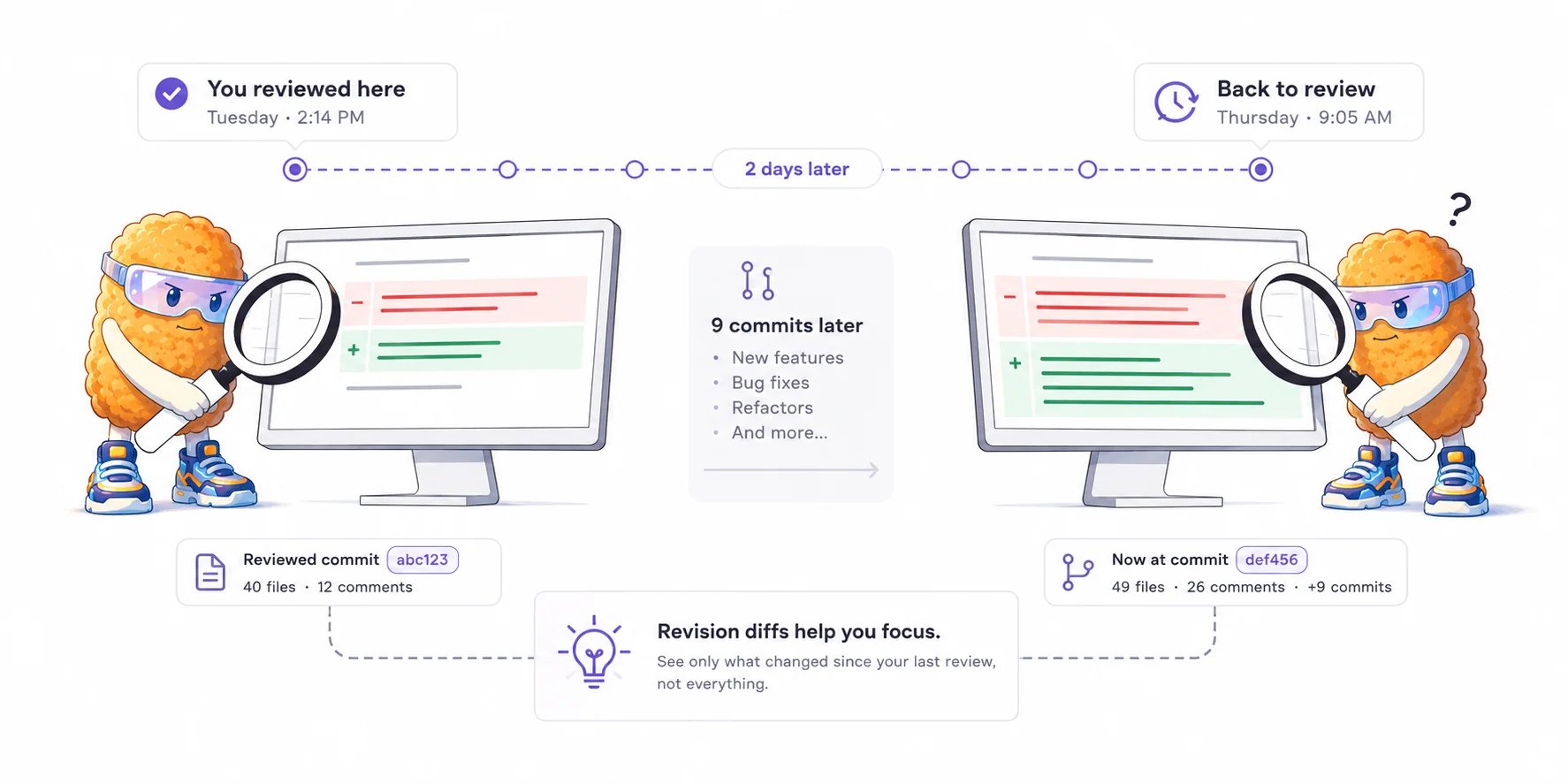
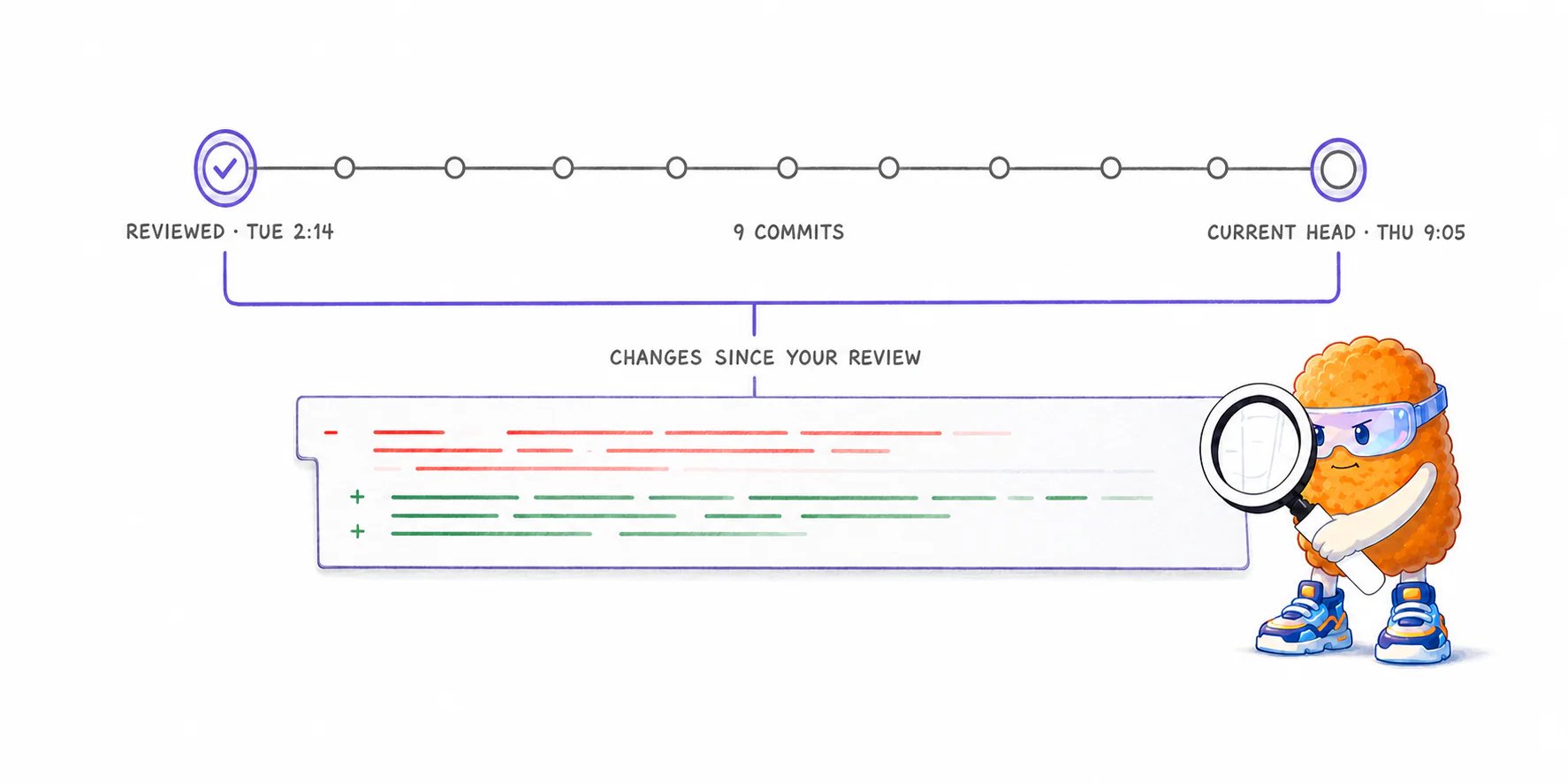
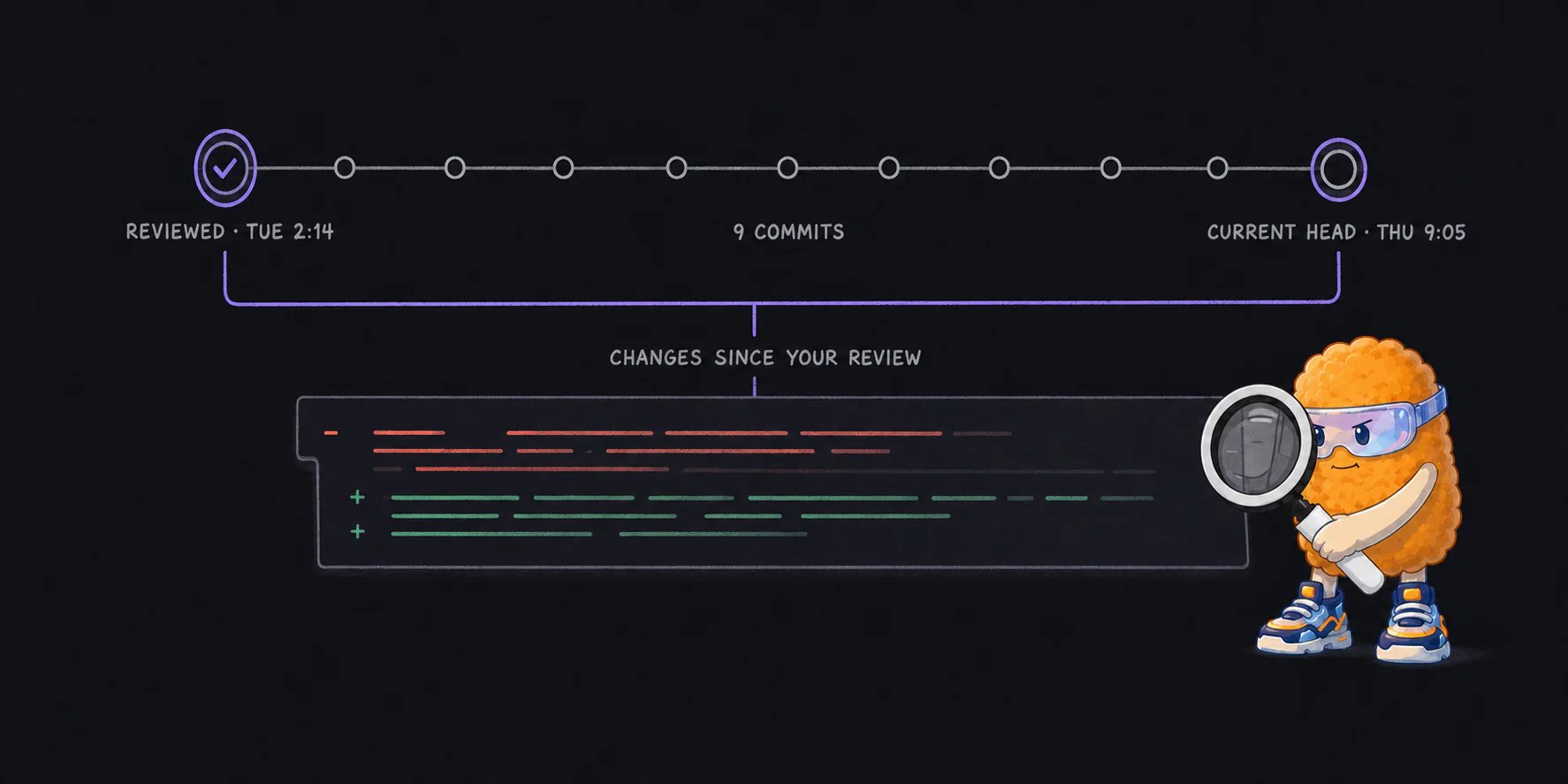
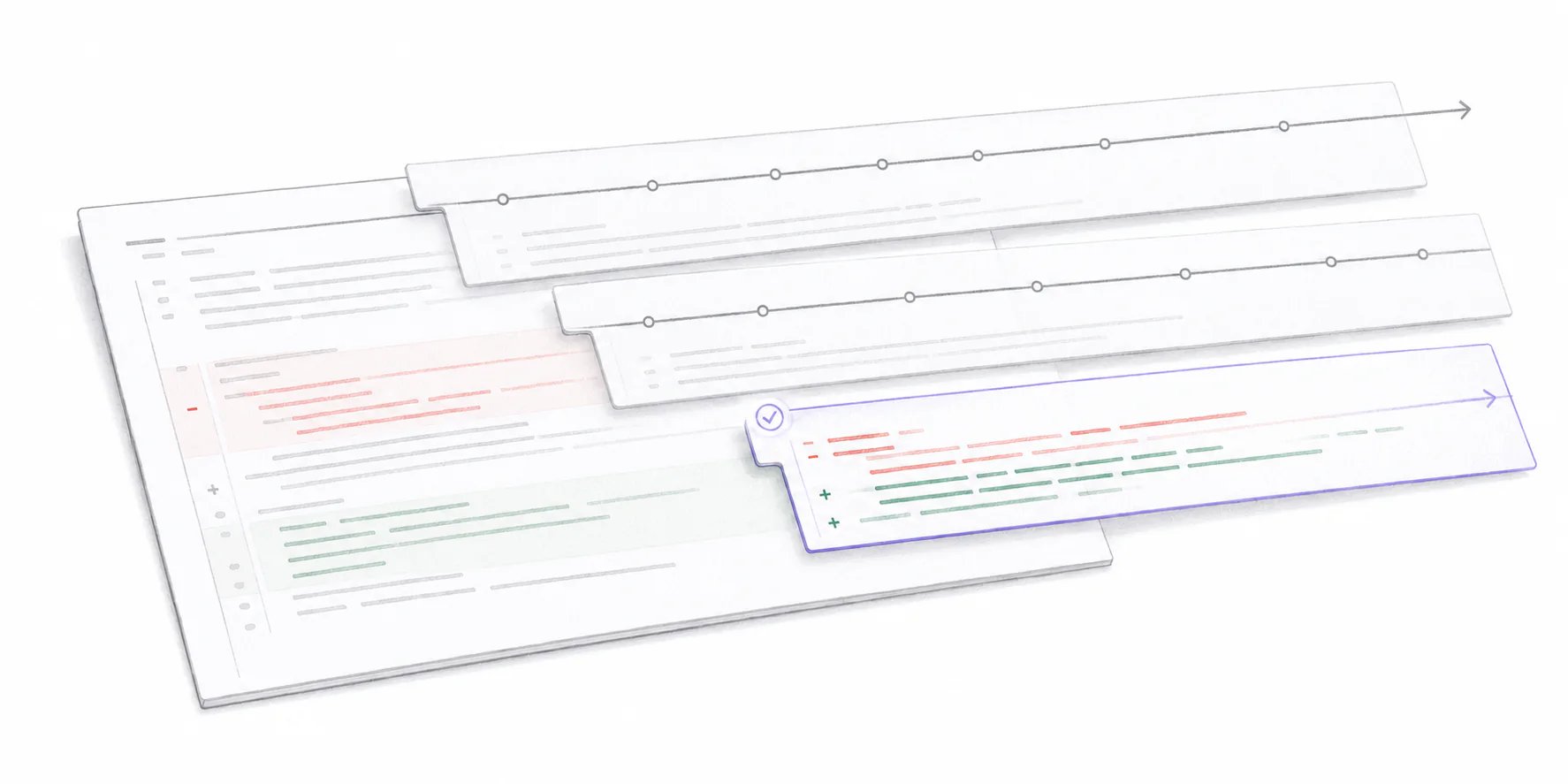
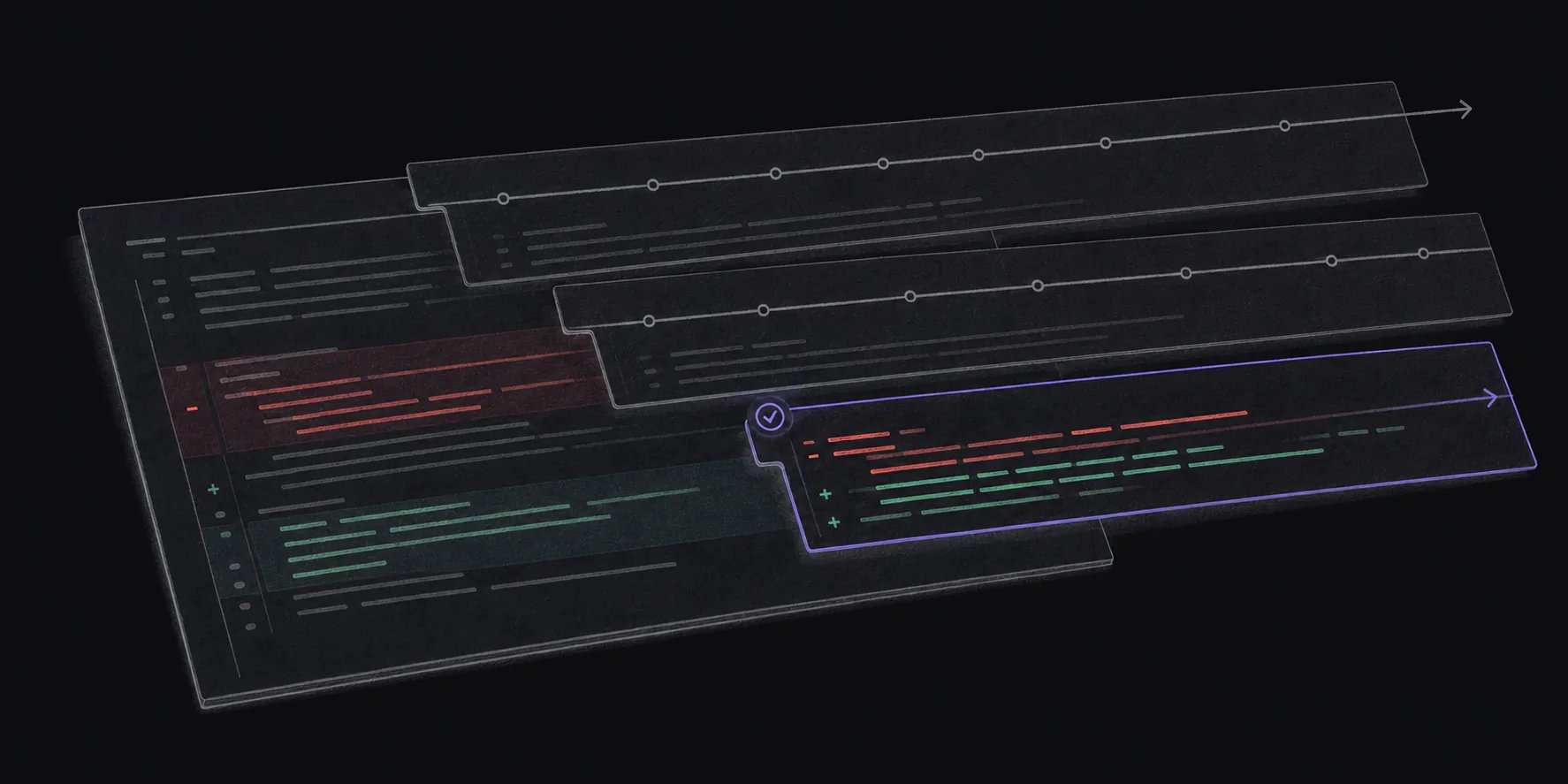
A **revision diff** is a cumulative diff between the exact version of a change set a reviewer last reviewed and its current version. It answers one practical question: **what changed since I last looked?**
*Last reviewed July 18, 2026. Maintained by the Plannotator project.*
 A revision diff is sometimes called an **interdiff** or a **patch-set diff**. The names vary; the reviewer’s question does not.
## What problem does a revision diff solve?
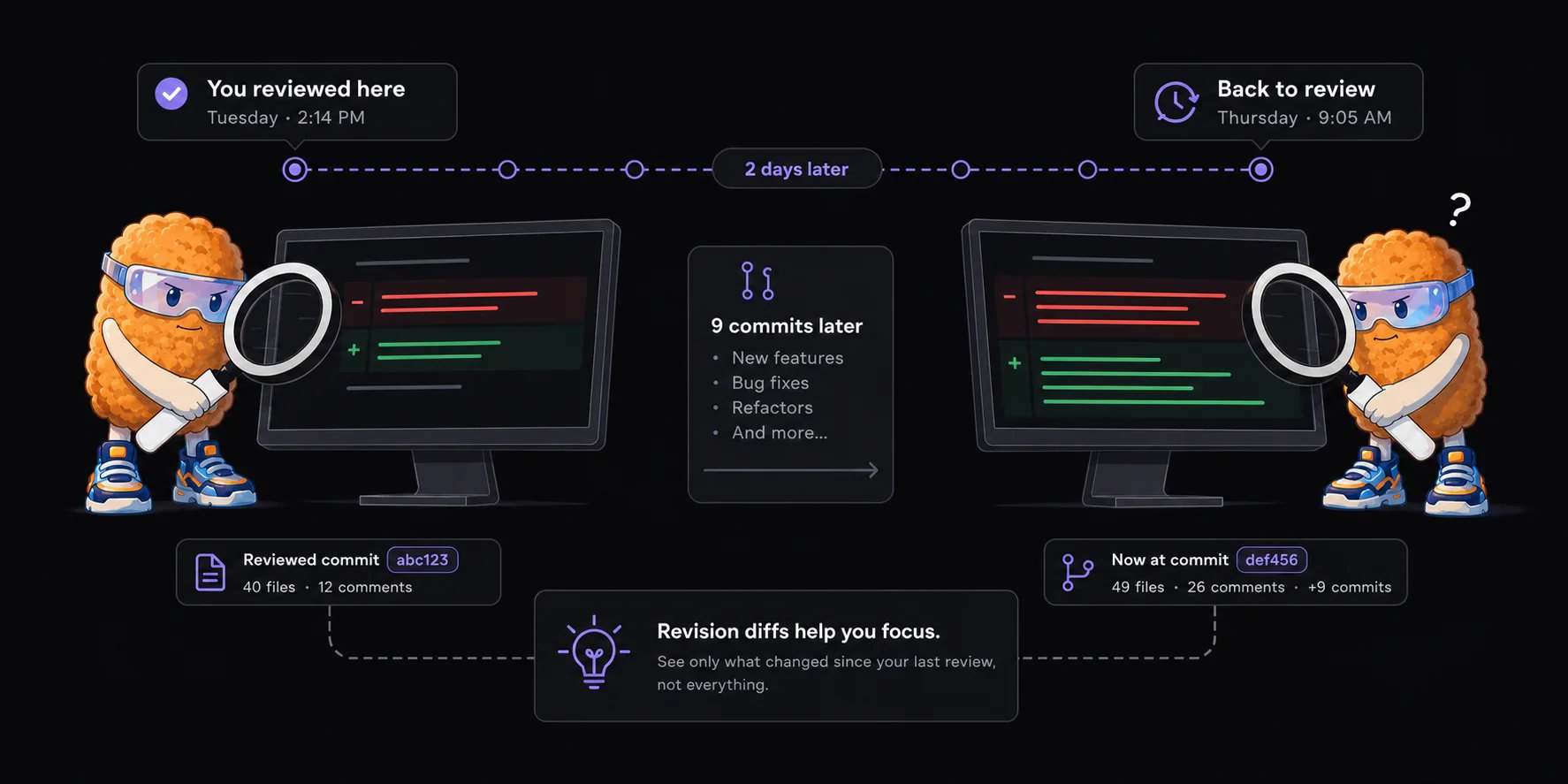
Imagine reviewing a 40-file pull request on Tuesday afternoon. You leave 12 comments and finish the review. By Thursday morning, the author has pushed nine more commits.
A revision diff is sometimes called an **interdiff** or a **patch-set diff**. The names vary; the reviewer’s question does not.
## What problem does a revision diff solve?
Imagine reviewing a 40-file pull request on Tuesday afternoon. You leave 12 comments and finish the review. By Thursday morning, the author has pushed nine more commits.
 The full pull request diff still answers:
> What does this branch change compared with the base branch?
But that is no longer the question you need answered. You already reviewed most of that work. Your question is:
> What changed between the version I reviewed Tuesday and the version in front of me now?
Without a revision diff, reviewers usually fall back to one of two workflows:
1. Re-read the full pull request and repeatedly confirm that old code has not changed.
2. Read each new commit separately and mentally combine overlapping edits, reversions, and fixups.
A revision diff compares the two relevant snapshots directly. If only six of the original 40 files changed after Tuesday, the repeat review contains six files.
## What does GitHub offer today?
GitHub’s web review tells you which files changed and lets you manually select commits or compare SHAs. It does not make your last completed review a first-class, automatic cumulative diff inside the normal pull request web experience. GitHub’s VS Code extension does provide a version of that workflow.
More specifically:
* GitHub unmarks a file as **Viewed** if that file changes later. This helps identify affected files, but it does not isolate only the new hunks in those files. See [GitHub’s review documentation](https://docs.github.com/en/pull-requests/collaborating-with-pull-requests/reviewing-changes-in-pull-requests/reviewing-proposed-changes-in-a-pull-request?tool=webui).
* GitHub’s newer Files changed experience can display one commit or a manually selected set of commits. See the [GitHub Files changed announcement](https://github.blog/changelog/2025-12-11-review-commit-by-commit-improved-filtering-and-more-in-the-pull-request-files-changed-public-preview/).
* GitHub can show the version attached to a completed review, and its compare page and API can compare known commit SHAs.
* The official GitHub Pull Requests extension for VS Code includes a command named **Show Changes Since Last Review**. See the [extension source](https://github.com/microsoft/vscode-pull-request-github/blob/main/package.nls.json).
This means the underlying comparison is not a new Git primitive. The product opportunity is making the reviewer’s checkpoint automatic, reliable, and useful in the place where the review already happens.
## How does a revision diff work?
Every revision diff needs two endpoints:
When a review finishes, record the pull request’s exact head commit. This is the reviewer’s baseline.
When the reviewer returns, read the pull request’s current head commit.
Generate one cumulative diff from the reviewed revision to the current revision. Intermediate commits do not need to be replayed.
In simplified Git terms:
```text theme={null}
reviewed revision: 6a0f3c1
current revision: b91d2e8
revision diff: 6a0f3c1 → b91d2e8
```
The output should describe the net result. If commit five adds a line and commit eight removes it, that line should not appear in the revision diff.
## Revision diff vs. pull request diff vs. commit diff
| View | Comparison | Best question it answers |
| ---------------------- | --------------------------------------- | -------------------------------------------- |
| Full pull request diff | Base branch → current pull request head | What will this pull request change overall? |
| Individual commit diff | One commit’s parent → that commit | What did this particular commit do? |
| Selected commit range | Manually chosen commit range | What happened across these selected commits? |
| Revision diff | Last reviewed revision → current head | What changed since I last reviewed this? |
The distinction is the baseline. A full pull request diff is anchored to the base branch. A revision diff is anchored to a reviewer’s previous checkpoint.
The full pull request diff still answers:
> What does this branch change compared with the base branch?
But that is no longer the question you need answered. You already reviewed most of that work. Your question is:
> What changed between the version I reviewed Tuesday and the version in front of me now?
Without a revision diff, reviewers usually fall back to one of two workflows:
1. Re-read the full pull request and repeatedly confirm that old code has not changed.
2. Read each new commit separately and mentally combine overlapping edits, reversions, and fixups.
A revision diff compares the two relevant snapshots directly. If only six of the original 40 files changed after Tuesday, the repeat review contains six files.
## What does GitHub offer today?
GitHub’s web review tells you which files changed and lets you manually select commits or compare SHAs. It does not make your last completed review a first-class, automatic cumulative diff inside the normal pull request web experience. GitHub’s VS Code extension does provide a version of that workflow.
More specifically:
* GitHub unmarks a file as **Viewed** if that file changes later. This helps identify affected files, but it does not isolate only the new hunks in those files. See [GitHub’s review documentation](https://docs.github.com/en/pull-requests/collaborating-with-pull-requests/reviewing-changes-in-pull-requests/reviewing-proposed-changes-in-a-pull-request?tool=webui).
* GitHub’s newer Files changed experience can display one commit or a manually selected set of commits. See the [GitHub Files changed announcement](https://github.blog/changelog/2025-12-11-review-commit-by-commit-improved-filtering-and-more-in-the-pull-request-files-changed-public-preview/).
* GitHub can show the version attached to a completed review, and its compare page and API can compare known commit SHAs.
* The official GitHub Pull Requests extension for VS Code includes a command named **Show Changes Since Last Review**. See the [extension source](https://github.com/microsoft/vscode-pull-request-github/blob/main/package.nls.json).
This means the underlying comparison is not a new Git primitive. The product opportunity is making the reviewer’s checkpoint automatic, reliable, and useful in the place where the review already happens.
## How does a revision diff work?
Every revision diff needs two endpoints:
When a review finishes, record the pull request’s exact head commit. This is the reviewer’s baseline.
When the reviewer returns, read the pull request’s current head commit.
Generate one cumulative diff from the reviewed revision to the current revision. Intermediate commits do not need to be replayed.
In simplified Git terms:
```text theme={null}
reviewed revision: 6a0f3c1
current revision: b91d2e8
revision diff: 6a0f3c1 → b91d2e8
```
The output should describe the net result. If commit five adds a line and commit eight removes it, that line should not appear in the revision diff.
## Revision diff vs. pull request diff vs. commit diff
| View | Comparison | Best question it answers |
| ---------------------- | --------------------------------------- | -------------------------------------------- |
| Full pull request diff | Base branch → current pull request head | What will this pull request change overall? |
| Individual commit diff | One commit’s parent → that commit | What did this particular commit do? |
| Selected commit range | Manually chosen commit range | What happened across these selected commits? |
| Revision diff | Last reviewed revision → current head | What changed since I last reviewed this? |
The distinction is the baseline. A full pull request diff is anchored to the base branch. A revision diff is anchored to a reviewer’s previous checkpoint.
 ## Eight revision-diff terms in plain language
### Revision
One version of the pull request as it existed at a particular moment. Each new push can create a new revision.
### Head SHA
The commit identifier for the current tip of the pull request branch. It is the fingerprint of the code currently under review.
### Patch set
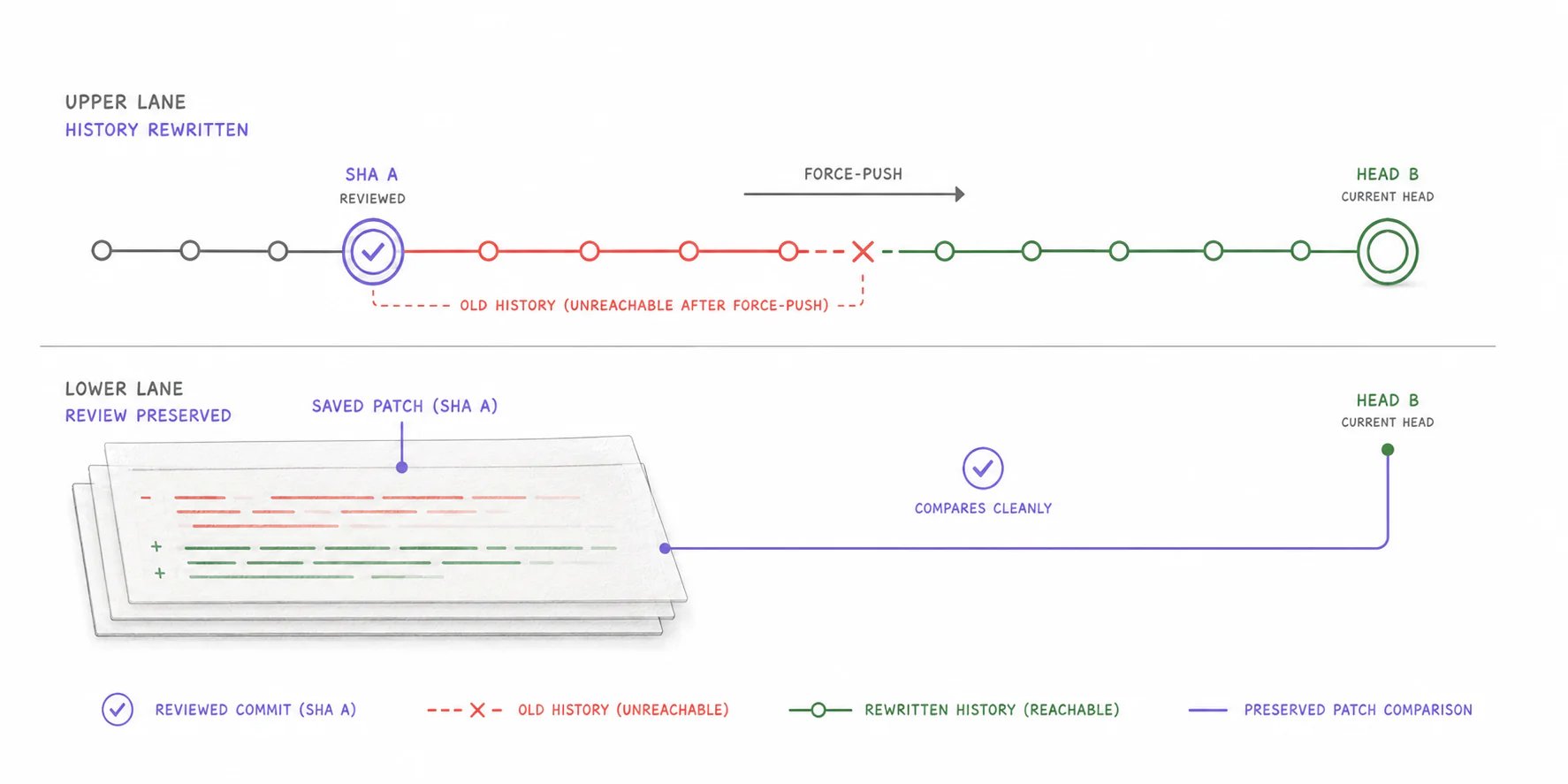
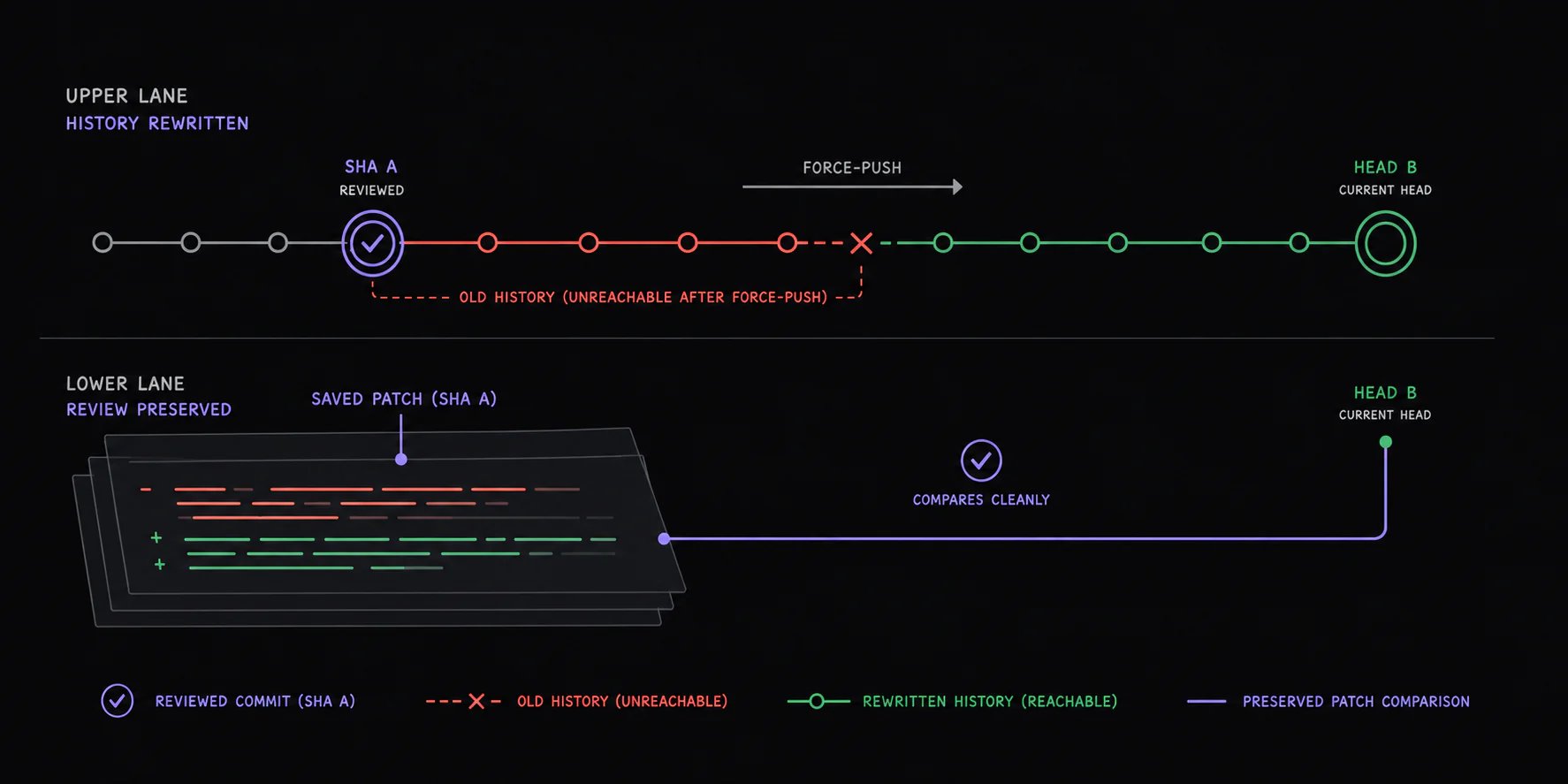
The saved changes associated with a revision. Systems that need reliable historical comparisons may preserve the patch set rather than storing only a commit identifier.
### Interdiff
Another name for a diff between two revisions. It compares revision A with revision B instead of comparing the pull request with its base branch.
### Force-push or rewritten history
A push that replaces the branch’s existing commit history, often after a rebase. The new history may contain the same intent expressed through different commits.
### Retention
How long an old revision remains available for comparison. A commit identifier is useful only while the underlying commit or a saved snapshot can still be read.
### Revision marker vs. patch set
A revision marker says, “the reviewer saw commit `6a0f3c1`.” A patch set preserves enough data to reconstruct what the reviewer saw. The marker is smaller; the patch set is more durable.
### Provider compare
A comparison generated by the Git hosting provider, such as GitHub’s compare API. It is convenient when both endpoints are still available and the comparison stays within provider limits.
## What happens after a force-push or rebase?
A rebase complicates the commit graph, but it does not change the reviewer’s question. The desired comparison is still:
> the exact code previously reviewed → the code under review now
If the old commit remains available, the system can compare the two commit snapshots. If it does not, a reliable revision-diff system needs a previously saved patch set or equivalent snapshot.
This is why **remembering a SHA** and **preserving a reviewable revision** are different product decisions.
## Eight revision-diff terms in plain language
### Revision
One version of the pull request as it existed at a particular moment. Each new push can create a new revision.
### Head SHA
The commit identifier for the current tip of the pull request branch. It is the fingerprint of the code currently under review.
### Patch set
The saved changes associated with a revision. Systems that need reliable historical comparisons may preserve the patch set rather than storing only a commit identifier.
### Interdiff
Another name for a diff between two revisions. It compares revision A with revision B instead of comparing the pull request with its base branch.
### Force-push or rewritten history
A push that replaces the branch’s existing commit history, often after a rebase. The new history may contain the same intent expressed through different commits.
### Retention
How long an old revision remains available for comparison. A commit identifier is useful only while the underlying commit or a saved snapshot can still be read.
### Revision marker vs. patch set
A revision marker says, “the reviewer saw commit `6a0f3c1`.” A patch set preserves enough data to reconstruct what the reviewer saw. The marker is smaller; the patch set is more durable.
### Provider compare
A comparison generated by the Git hosting provider, such as GitHub’s compare API. It is convenient when both endpoints are still available and the comparison stays within provider limits.
## What happens after a force-push or rebase?
A rebase complicates the commit graph, but it does not change the reviewer’s question. The desired comparison is still:
> the exact code previously reviewed → the code under review now
If the old commit remains available, the system can compare the two commit snapshots. If it does not, a reliable revision-diff system needs a previously saved patch set or equivalent snapshot.
This is why **remembering a SHA** and **preserving a reviewable revision** are different product decisions.
 ## Should every reviewer have a separate baseline?
Usually, yes. Review state belongs to the reviewer, not just the pull request.
One person may have approved revision 4, another may have requested changes on revision 6, and a third may be opening the pull request for the first time. “Since last review” has a different starting point for each person.
A useful default is the head commit associated with that reviewer’s most recent completed review. Products should also make the chosen baseline visible and allow an explicit revision to be selected when the automatic choice is wrong.
## What are the limitations?
Revision diffs reduce repeat work, but they do not eliminate review judgment:
* A small code diff can have a large behavioral effect.
* Generated files and binary assets may not produce useful textual diffs.
* Base-branch changes can affect merge behavior without appearing in a head-to-head revision diff.
* A reviewer may need the full pull request context even when only a few lines changed.
* If a previous revision was not retained, a perfect historical comparison may be impossible.
Use the revision diff as an additional review lens, not a replacement for the full pull request diff.
## Frequently asked questions
### Is a revision diff the same as GitHub’s Files changed view?
No. GitHub’s default Files changed view compares the pull request with its base branch. A revision diff compares two versions of the pull request itself.
### Is a revision diff the same as reviewing new commits?
No. Reviewing commits exposes the sequence of edits. A revision diff exposes the cumulative result of those edits.
### Can I create a revision diff manually?
Yes. If you know the commit reviewed previously and the current head commit, you can compare those SHAs with Git or a provider compare page. The hard part is consistently recording the correct reviewer-specific baseline and retaining access to it.
### Why not just review every changed file again?
That works, but it spends reviewer attention proving that previously reviewed code did not change. Revision diffs concentrate attention on the part of the pull request that actually moved.
## In one sentence
A revision diff makes a review checkpoint visible:
> Show the cumulative code changes between the version I last reviewed and the version I need to review now.
Revision storage, provider APIs, force-push handling, and reviewer state make that comparison reliable.
## Should every reviewer have a separate baseline?
Usually, yes. Review state belongs to the reviewer, not just the pull request.
One person may have approved revision 4, another may have requested changes on revision 6, and a third may be opening the pull request for the first time. “Since last review” has a different starting point for each person.
A useful default is the head commit associated with that reviewer’s most recent completed review. Products should also make the chosen baseline visible and allow an explicit revision to be selected when the automatic choice is wrong.
## What are the limitations?
Revision diffs reduce repeat work, but they do not eliminate review judgment:
* A small code diff can have a large behavioral effect.
* Generated files and binary assets may not produce useful textual diffs.
* Base-branch changes can affect merge behavior without appearing in a head-to-head revision diff.
* A reviewer may need the full pull request context even when only a few lines changed.
* If a previous revision was not retained, a perfect historical comparison may be impossible.
Use the revision diff as an additional review lens, not a replacement for the full pull request diff.
## Frequently asked questions
### Is a revision diff the same as GitHub’s Files changed view?
No. GitHub’s default Files changed view compares the pull request with its base branch. A revision diff compares two versions of the pull request itself.
### Is a revision diff the same as reviewing new commits?
No. Reviewing commits exposes the sequence of edits. A revision diff exposes the cumulative result of those edits.
### Can I create a revision diff manually?
Yes. If you know the commit reviewed previously and the current head commit, you can compare those SHAs with Git or a provider compare page. The hard part is consistently recording the correct reviewer-specific baseline and retaining access to it.
### Why not just review every changed file again?
That works, but it spends reviewer attention proving that previously reviewed code did not change. Revision diffs concentrate attention on the part of the pull request that actually moved.
## In one sentence
A revision diff makes a review checkpoint visible:
> Show the cumulative code changes between the version I last reviewed and the version I need to review now.
Revision storage, provider APIs, force-push handling, and reviewer state make that comparison reliable.