
plannotator review inside an active GitButler workspace. Plannotator detects GitButler and opens the Workspace view, which shows all applied committed work, working-tree changes, and untracked files.
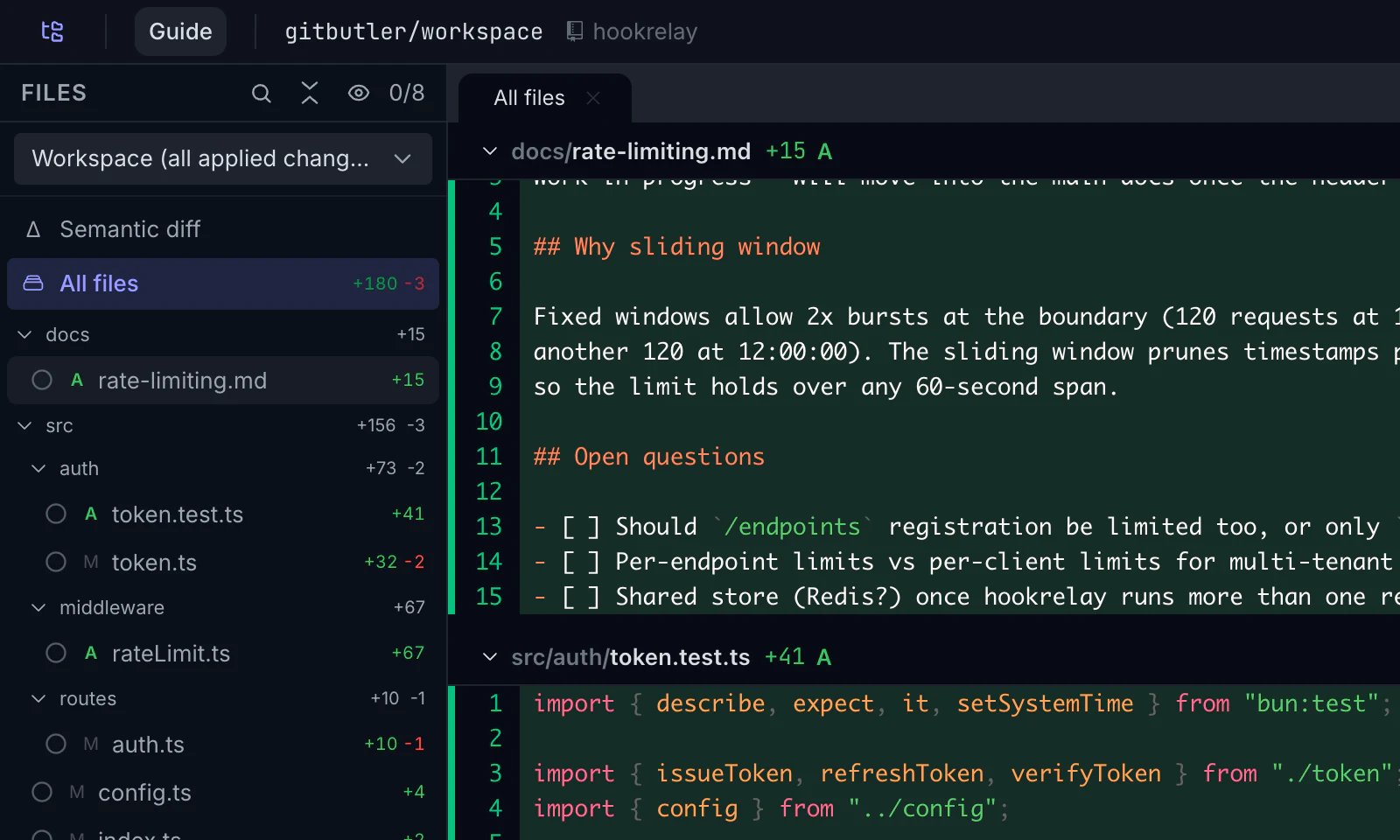
Plannotator reviews local GitButler state. It does not use GitButler’s older cloud Butler Review feature, which GitButler says is currently paused.
Requirements and automatic detection
Use Plannotator v0.24.0 or newer. Put the GitButlerbut CLI on PATH. Version 0.21.0 or newer is required.
Run:
plannotator --version must report v0.24.0 or newer. but --version must report v0.21.0 or newer. GitButler documents the CLI in the GitButler CLI overview.
Plannotator selects GitButler only when both checks pass:
- Symbolic
HEADisrefs/heads/gitbutler/workspace. Plannotator also accepts the legacyrefs/heads/gitbutler/integrationref. - The repository has a local
gitbutler.project.targetrefvalue that starts withrefs/.
gitbutler/workspace without the local target-ref configuration. GitButler explains why its client maintains the synthetic workspace commit in Workspace Branch.
If Plannotator detects the workspace ref and target configuration but cannot use but, it stops with a clear error. It does not fall back to a plain Git diff of GitButler’s synthetic workspace commit.
Choose Workspace, Stack, or Branch
Open the comparison picker to move between the GitButler views available for the current workspace.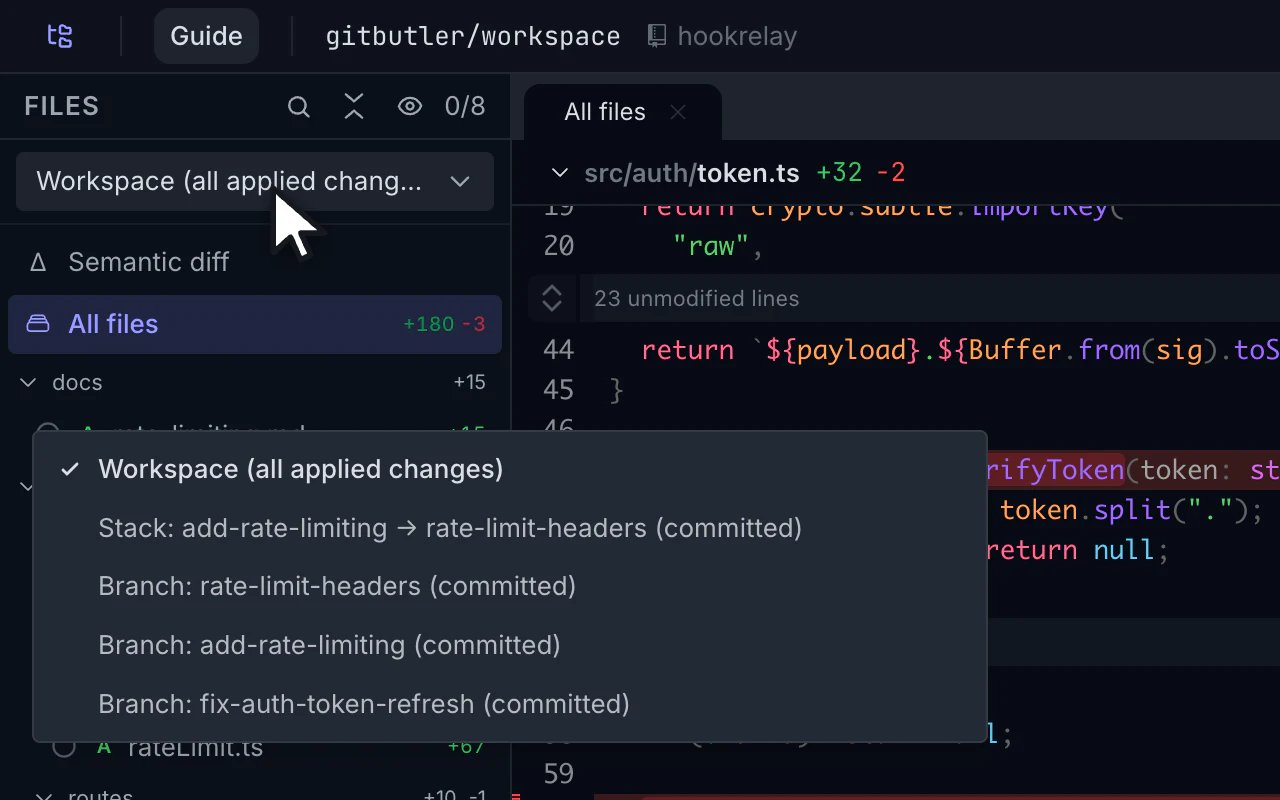
GitButler defines stacked branches as dependent branches that build on the branches below them. See Stacked Branches for GitButler’s branch model.
Assigned but uncommitted changes appear only in Workspace. GitButler does not expose one authoritative combined patch for a stack plus those assigned changes, so Plannotator does not guess.
Know the limits of GitButler sessions
GitButler assignments are not the Git index. Plannotator therefore hides stage and unstage controls, Git-status sections, and the commits panel in GitButler sessions. Committed Stack and Branch views describe Git objects that may not match the live working tree. Other stacks or later layers can be applied at the same time. In these two views, Plannotator disables:- Opening a file in an editor or another app
- Code navigation
- Semantic diff
- VS Code annotations
Force GitButler or plain Git
Force the GitButler provider when automatic detection is unavailable or when you want a clear setup error:Keep annotations tied to the right comparison
Each annotation records the GitButler view, label, merge base, and exact diff snapshot that supplied its line numbers. If you annotate a branch, switch to another view, and then send feedback, Plannotator labels the annotation with the branch comparison where you made it.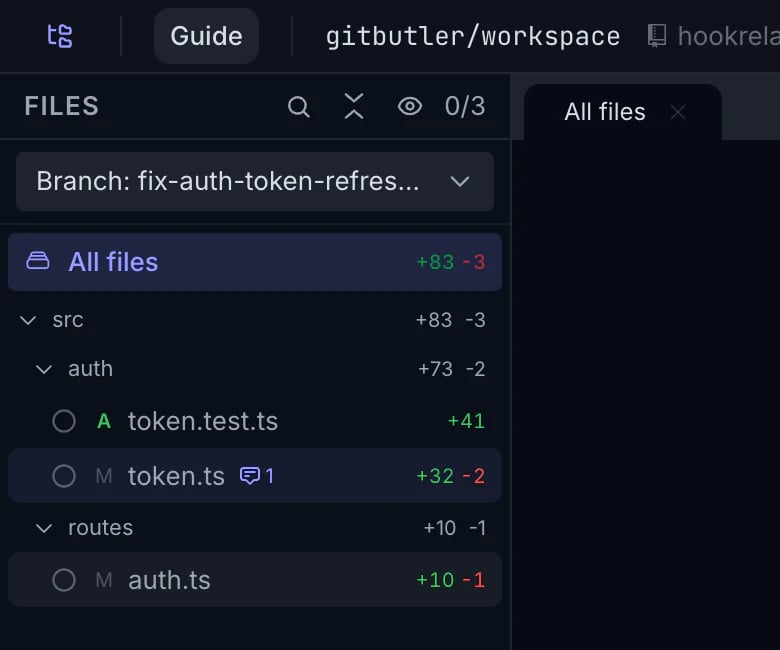
git diff can include other applied stacks or later branch layers.
See Run agent reviews for provider permissions and review behavior.
Troubleshoot GitButler review
but is missing
Plannotator reports:
but command installed with GitButler Desktop, then confirm it is available in the same shell:
but is too old
For an installed v0.20.0 CLI, Plannotator reports:
but --version reports v0.21.0 or newer. A prerelease such as 0.21.0-beta.1 does not satisfy the minimum.
Automatic detection does not trigger
Check the two values Plannotator uses:refs/remotes/origin/main. If either is absent, return to an active GitButler workspace or use plannotator review --gitbutler to get the direct provider error.