
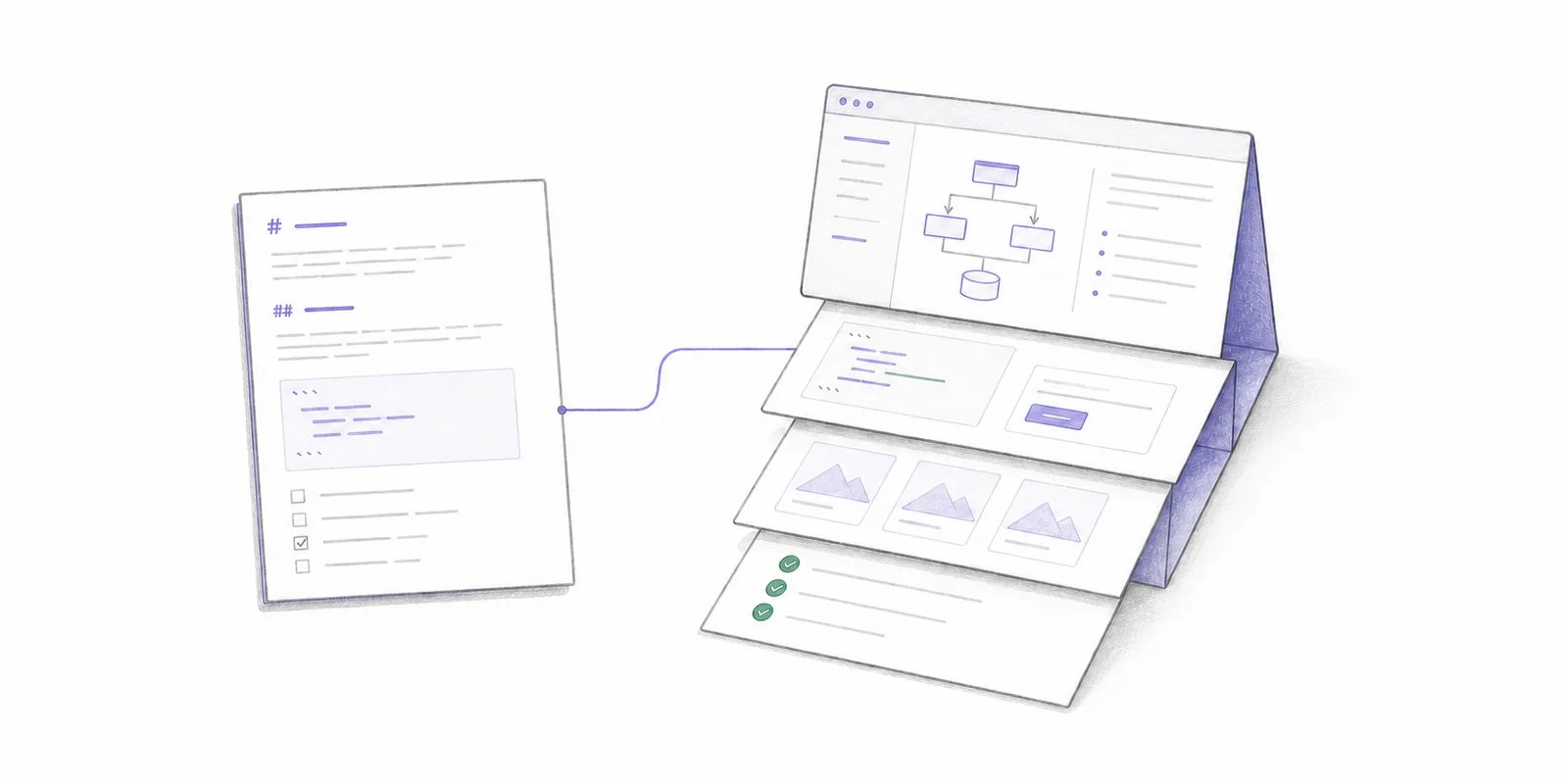
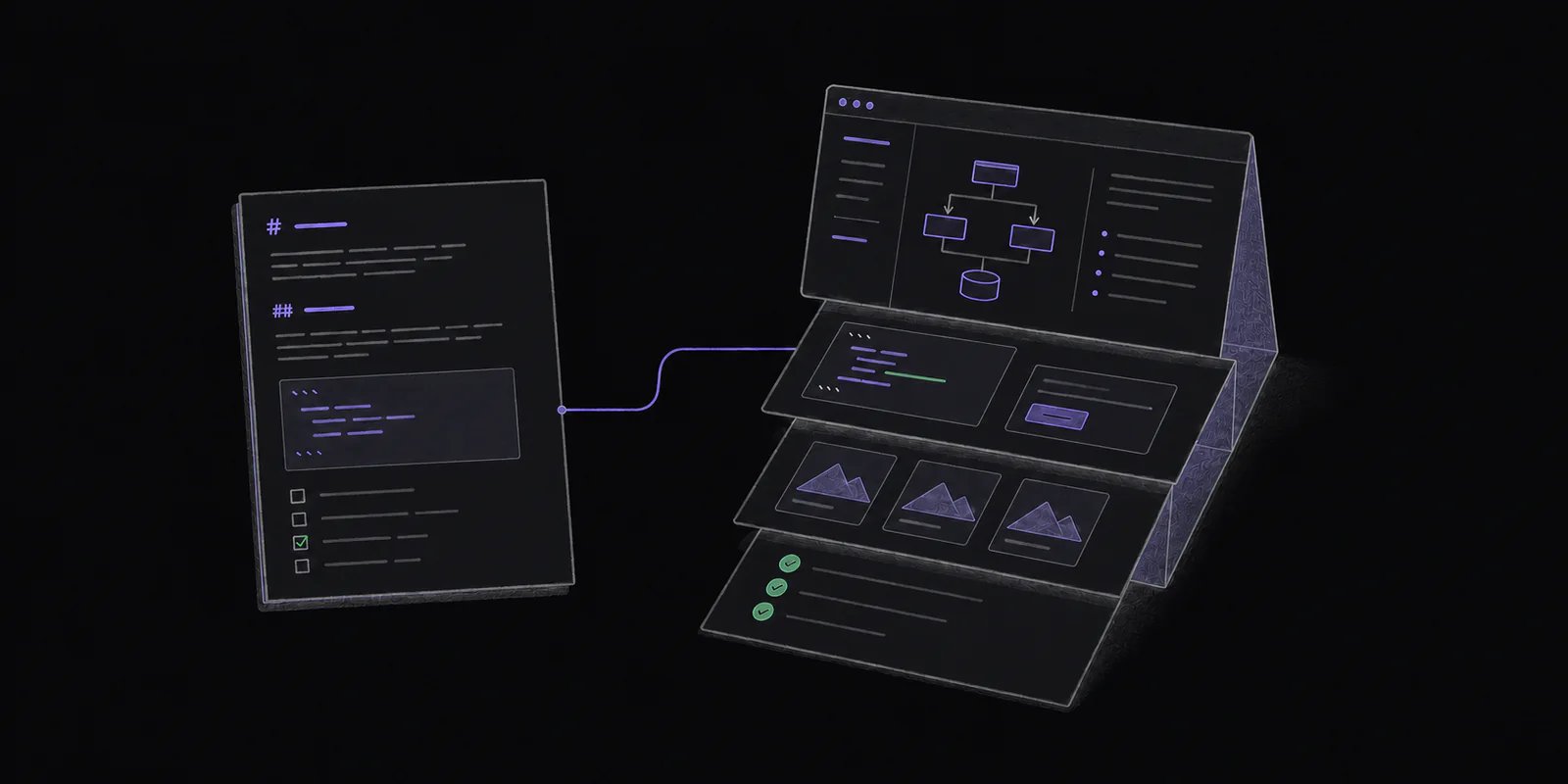
The short decision framework
Start with Markdown. Use HTML when at least one of the following capabilities is central to the work rather than decorative.
Ask whether the document would still accomplish its main job if its CSS and JavaScript were removed. If yes, Markdown is probably enough. If the job depends on comparing, exploring, manipulating, or seeing relationships, HTML may be justified.
Why agents are making HTML useful now
An agent can assemble a one-off interface from repository files, Git history, tests, and screenshots without requiring a team to build an internal application. In “The unreasonable effectiveness of HTML,” Claude Code engineer Thariq Shihipar describes using HTML for plans, code review, prototypes, explainers, and one-off editing interfaces. His examples use SVG, rendered diffs, controls, and structured layouts to make dense material inspectable. Visual Studio Code’s preview Artifacts panel collects plans, screenshots, documents, and agent-selected files beside a conversation; a rule can surface*.html files as web pages. This keeps the output findable after the message that created it scrolls away.
Use HTML as an inspection interface. Its polish does not prove that the agent understood the problem.
Five engineering examples
1. An implementation plan
Keep an implementation plan in Markdown when reviewers need to edit the problem, non-goals, changes, rollout, and validation in sequence. A text diff should show exactly what changed before approval. Add HTML when the problem is spatial: a migration across five services, several rollout paths, or a state machine that is hard to follow linearly. A reviewer could select a service in a system map to reveal its API changes, failure modes, and rollback steps. Keep the Markdown in Git or the project’s normal system when the decision needs a durable record, and use HTML to interrogate it. For the local review loop, see how to review, revise, and approve an AI coding plan.2. A comparison of alternatives
Markdown works for two short alternatives. HTML helps when a team must compare several designs against the same constraints. An agent could render four tenancy models in aligned columns with common rows for isolation, migration work, operator burden, cost, and recovery. Selecting a constraint could emphasize where they differ. End with an export such as Copy decision as Markdown. The accepted choice should not be trapped inside browser state.3. A UI prototype
Request HTML for a visual change when the team needs to try responsive layouts, loading states, keyboard flow, or animation timings before merging product code. Treat it as a prototype, not implementation evidence. It does not prove the real application uses the correct component, data flow, accessibility behavior, or performance characteristics. Record the selected behavior, then verify the implementation. For a staged workflow that keeps one brief fixed, see how to move from an HTML wireframe through a visual mockup to an interactive prototype.4. An architecture explainer
Keep the stable explanation of responsibilities and boundaries in Markdown. HTML can add an explorable graph: select a request path, reveal each owning service, open its source, and compare normal and failure flows. Keep a linear reading order, source links, and a text description of the boundaries. Identify the repository revision so a future reader can recognize staleness.5. Code-review evidence
An agent reviewing a large pull request could render relevant diff sections with margin annotations, test results, and screenshots. HTML helps because the review question crosses several formats. The walkthrough remains evidence beside the diff. It does not replace the pull request, tests, or reviewer judgment. It should name the exact commit it describes and make its underlying sources visible. Our guide to code review artifacts explains how screenshots, recordings, HTML, reports, and other evidence fit beside code. The open-source Plannotator app can collect supported HTML attached to a hosted pull request or merge request, render it in a restricted viewer, and keep selected-text feedback with the ordinary review draft. See the Artifact Gallery workflow.What Markdown still does better
Markdown’s constraints make documents easier to review, edit, and preserve.- Source readability: reviewers can read it in a terminal, editor, or pull-request diff without running it.
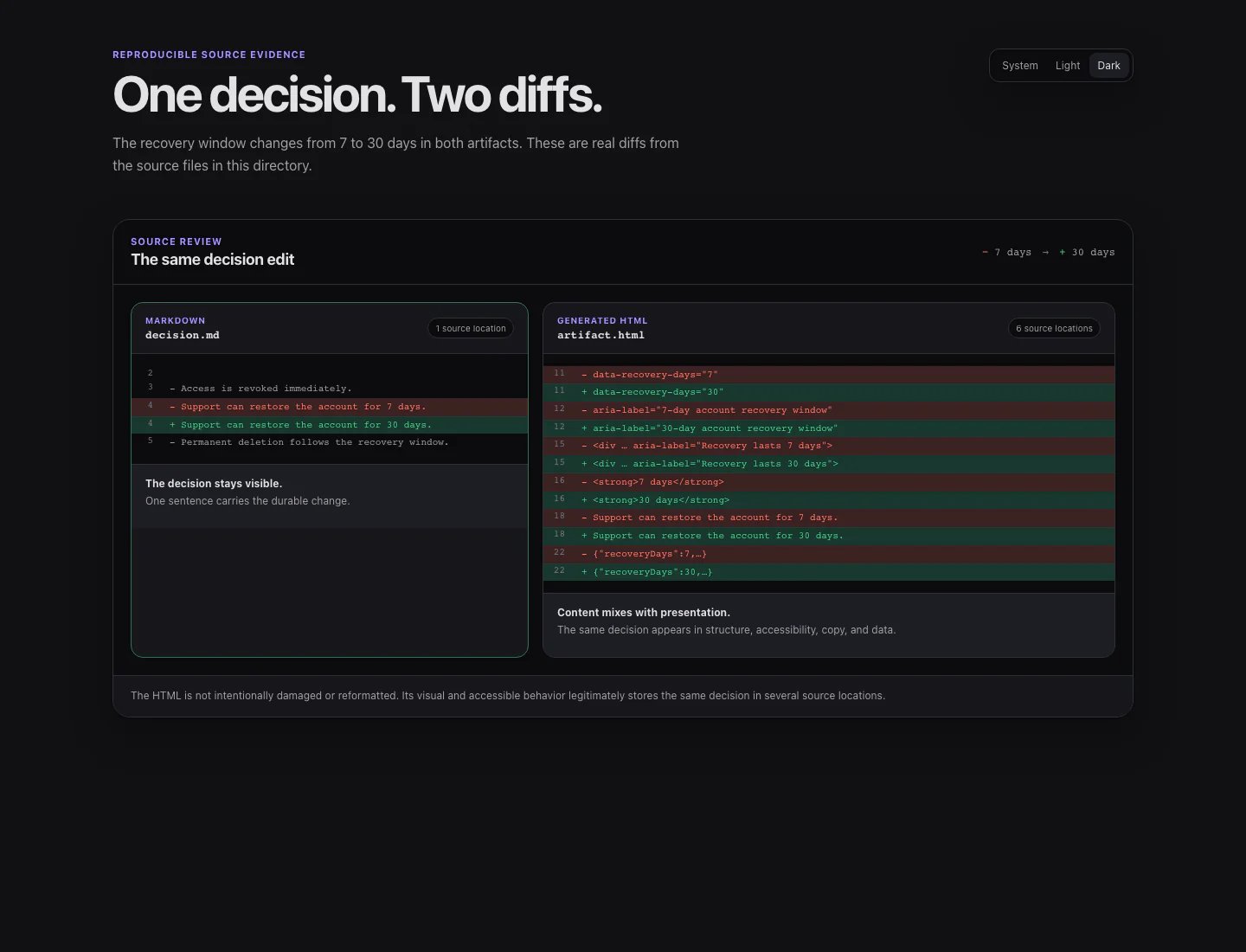
- Focused changes: a sentence-level edit usually produces a small text diff. Generated HTML often mixes content changes with markup, styles, and layout churn.
- Direct editing: people can correct a sentence without reconstructing an interface.
- Portability: Markdown travels across repositories, docs generators, issue trackers, and agent context windows.
- Lower execution risk: plain Markdown does not need JavaScript, network access, or a privileged browser origin to communicate prose.
- Durable context: plans, rules, and handoffs survive changes to the rendering tool.
Costs of generated HTML
Source review and version history
HTML remains text, so Git can diff it. Generated pages can still be poor review material because reformatting, repeated utility classes, inline SVG paths, and bundled scripts can obscure a one-sentence change. Keep the file unminified. Use stable formatting. Separate structured data from presentation where practical. If the artifact records a team decision, export that decision to Markdown or JSON so reviewers do not have to infer it from DOM changes.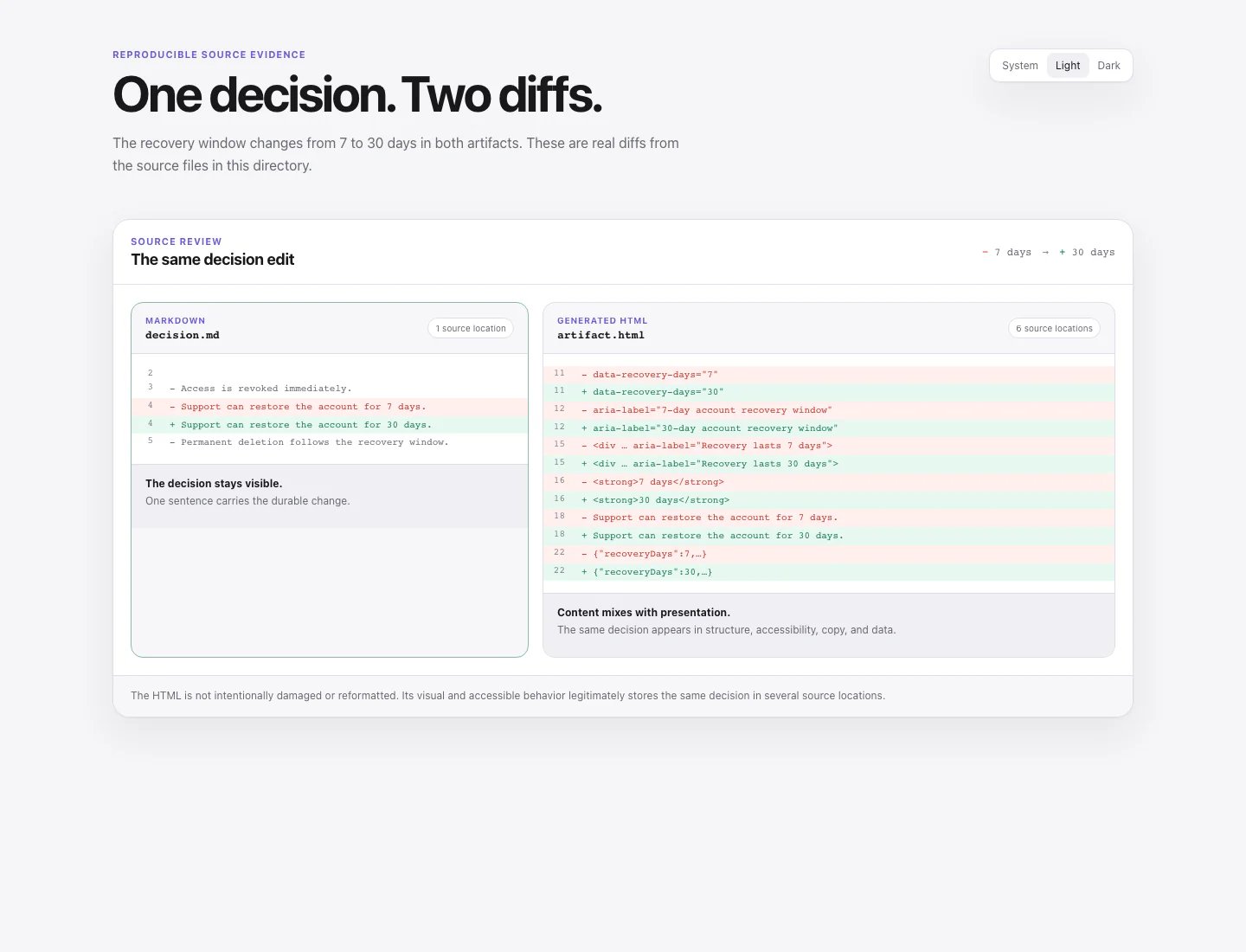
Security and sandboxing
An HTML file is active content. It can execute scripts, submit forms, open windows, embed other pages, and make network requests. “Self-contained” describes packaging; it does not make the file trustworthy. GitHub accepts.html and .htm as pull-request and issue attachments, with access following repository visibility. That provides transport, not permission to run the file with the authority of your development tools or review application.
Render agent-produced HTML as untrusted. OWASP recommends using a sandboxed iframe for untrusted content. A hosting system should add a restrictive Content Security Policy, isolate the artifact from application credentials and storage, and grant only the capabilities the page needs. If a static page communicates the idea, disable scripts and network access entirely.
Accessibility
Visual structure does not guarantee accessible structure. A grid of styled<div> elements may look like a comparison table while giving a screen reader none of the row and column relationships.
Ask for semantic headings, landmarks, tables, labels, alternative text, and native controls. W3C guidance explains why headings must convey a meaningful hierarchy and why data tables need programmatic header relationships. Interactive pages also need a complete keyboard path; native HTML controls provide behavior that custom clickable elements do not get for free.
Test the result at the viewport sizes the team supports, with keyboard-only navigation, and with the team’s normal accessibility checks. If the page cannot provide an equivalent linear explanation, it is a poor replacement for Markdown.
Presentation quality and accuracy
Agents can create crowded dashboards, ornamental diagrams, inconsistent controls, and charts that exaggerate weak differences. Review the information design, not only the prose. Verify every claim against the repository, tests, or source data. An elegant architecture map can be wrong, and polished presentation can make a weak claim more persuasive.A practical request for an HTML artifact
When HTML is justified, give the coding agent a small contract:- state the review question the page must help answer;
- make one self-contained, unminified file;
- identify source files, data, and the repository revision;
- use semantic HTML and a complete keyboard path;
- avoid external network requests and third-party scripts;
- keep important conclusions available in a linear text view;
- export any user-made choice as Markdown, JSON, or a copyable prompt;
- label assumptions, missing evidence, and generated examples;
- exclude secrets and customer data.
Limitations
No format guarantees understanding. A short Markdown plan can omit the decisive constraint. An interactive HTML explainer can guide reviewers toward the agent’s preferred conclusion. Either can become stale after the implementation changes. Some teams cannot host or share active HTML safely. Markdown plus committed SVG, screenshots, or reports may provide most of the value with fewer assumptions. Choose the format as one part of the review path. Teams still need to connect the requested change, approved context, implementation, validation evidence, and final decision. See how teams understand AI-generated code before shipping it for that complete workflow.Frequently asked questions
Is HTML better than Markdown for AI coding agents?
Not generally. Markdown is better for most editable plans, decisions, and handoffs. HTML is better when the task depends on spatial comparison, visualization, interaction, or direct manipulation.Should an implementation plan be HTML or Markdown?
Use Markdown for the authoritative plan. Add an HTML explainer when a system map, prototype, or multi-option comparison materially helps reviewers test the proposal. Link the two and identify which file carries the approved decision.Can I attach an HTML artifact to a GitHub pull request?
Yes. GitHub supports HTML file attachments in pull-request conversations. Repository visibility controls who can access the uploaded file. Treat attached HTML as untrusted active content and use a safe viewer rather than opening it with privileged application access.How do I make an AI-generated HTML artifact safe to review?
Remove secrets, external dependencies, and unnecessary scripts. Render it in an isolated sandbox with a restrictive Content Security Policy. Do not give it access to review-application credentials, local development secrets, or a trusted same-origin context.How do I keep an HTML artifact reviewable in Git?
Keep it unminified and deterministically formatted, avoid unrelated style churn, separate content data from presentation where practical, and export durable decisions to a simpler text format. Always record which code revision and source data the page represents.Which format should an agent use?
Use Markdown when the team needs to read, edit, diff, and preserve a document. Use HTML when the team needs to compare, explore, manipulate, or see relationships. When a workflow needs both, Markdown holds the durable decision while HTML provides a focused interface for understanding it.Annotate Markdown and HTML
Open documents and folders in Plannotator, or use the HTML guide when the rendered page is part of the review.