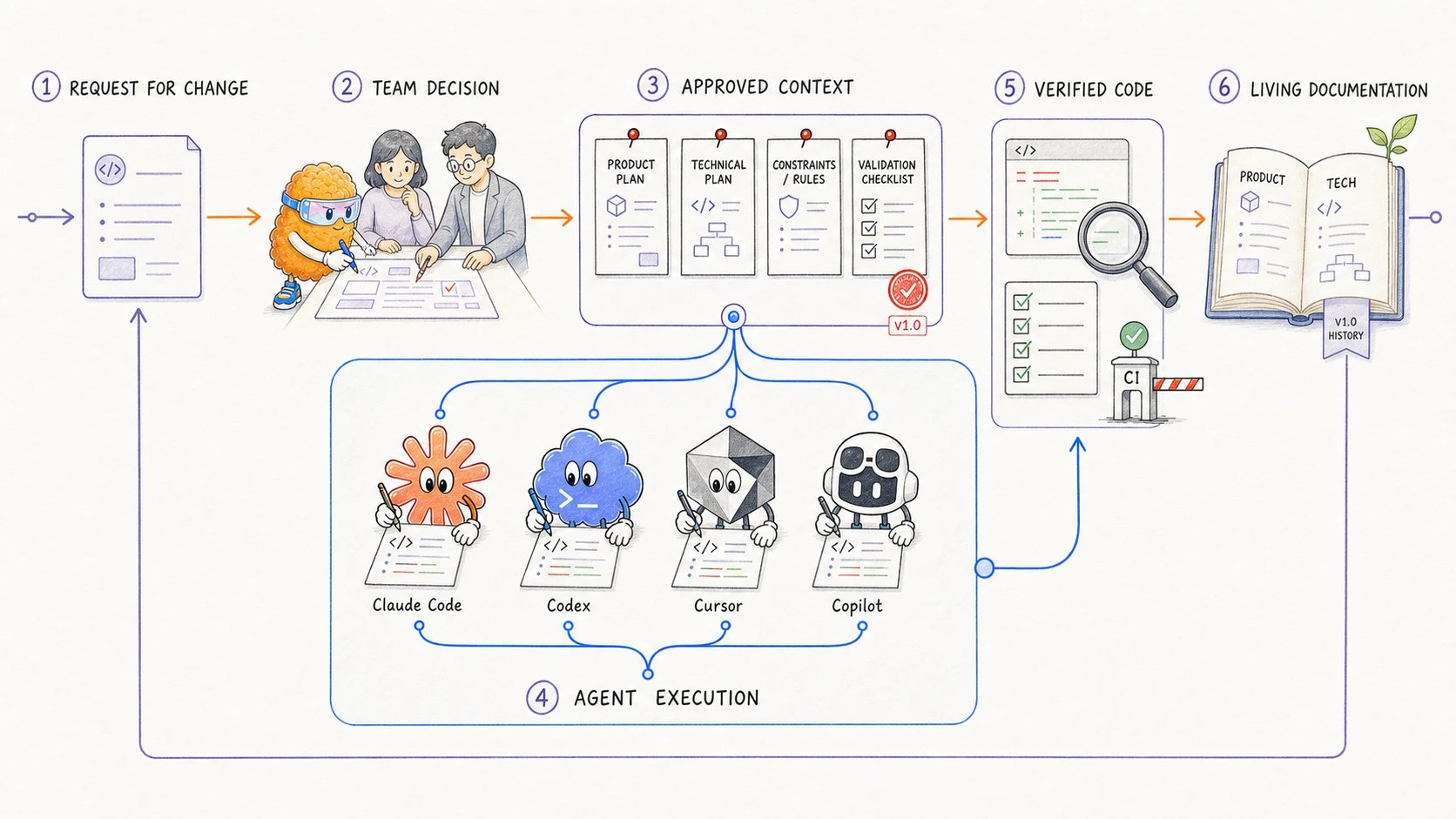
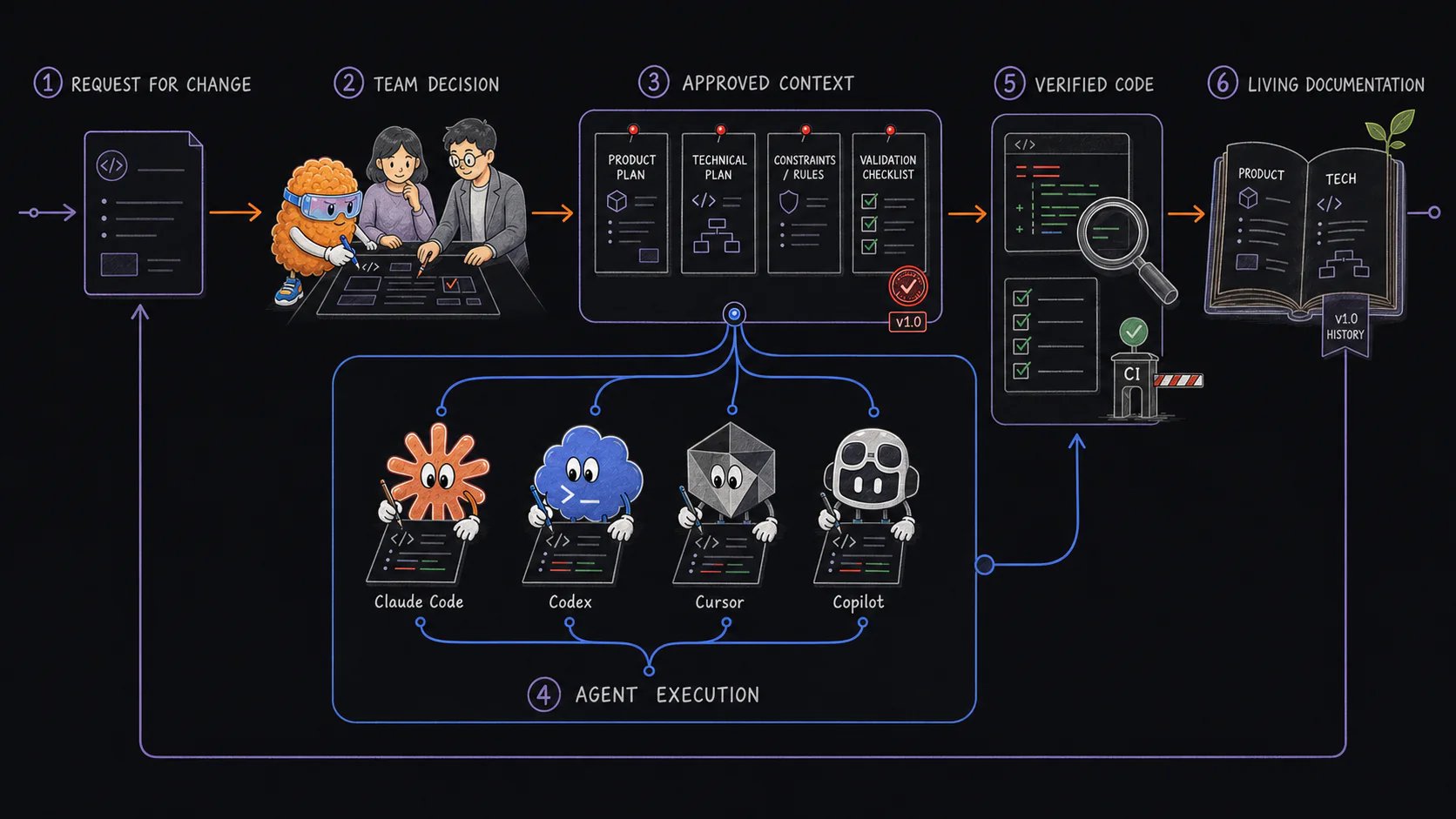
Review an AI coding plan in local open-source Plannotator, send precise feedback, compare revisions with Plan Diff, and approve only the current plan.
Approve an AI coding plan only when it states the intended outcome, boundaries, important implementation choices, risks, and validation well enough for the agent to proceed. Open-source Plannotator can show a supported coding agent’s plan in your browser and return Approve or Send Feedback to that local session. Some agents wait for your decision. On Claude Code 2.1.287 or later and on Pi, the agent ends its turn and your decision arrives later as a message.
Approve answers only the active local agent session. It does not record reviewer identity or authorization.
Keep a shared authorizing record in Git, an issue, a pull request, or another document system when the decision must be available to the team.
A short plan in the agent conversation may be enough
Cross-cutting feature
A reviewed coding plan with scope, dependencies, and validation
Durable behavior or protocol
A technical specification plus a current implementation plan
Significant architecture choice
An ADR linked from the specification or plan
Broad proposal needing discussion
An RFC before implementation planning
Start with the AI coding plan template. If the document needs to stay current after implementation, use the technical specification template as a separate maintained record.If the request still contains major unknowns, use the iterative planning workflow to explore the codebase, interview the human, and test the riskiest assumption before submitting a plan for approval.
For agents that support automatic plan review, the plan-mode hook starts Plannotator and opens the proposed Markdown in your browser. You can:
select text and add a comment;
mark text for deletion;
edit the Markdown directly;
add overall feedback;
approve the current plan; or
send feedback to the agent.
Choose Approve when the current plan needs no changes. Plannotator returns an approval result to the agent session so the agent can continue.Choose Send Feedback when you added comments, deletions, edits, or overall feedback. Plannotator formats that feedback and returns it to the agent. The agent can then revise and submit another plan.
Approving with unsent annotations does not turn those annotations into implementation instructions. Use Send Feedback when you want the agent to act on them.
A useful plan gives you enough information to find a wrong assumption before the agent changes code. Check the parts that could change the implementation:
intended behavior and explicit non-goals;
affected files, services, data, or APIs;
security and compatibility constraints;
migration, rollout, and rollback steps where relevant;
tests and other evidence the agent should produce;
unresolved questions that require a decision.
Small, reversible changes may need only a short plan. Security, data, migration, infrastructure, and public API changes usually need more detail because an incorrect direction is expensive to undo.The Rust project’s RFC process is a useful source of review questions for consequential design changes. Warp’s public APP-2527 specification shows one way to separate product behavior from technical implementation. You do not need to copy either structure. Use only the sections that help you verify the proposed work.
Plannotator saves each arriving plan to local version history before opening the review. When the agent submits a revision, select the +N/-M badge to compare it with the previous version.Use the rendered view to inspect changed sections in context. Use the raw view when the exact Markdown matters. The Version Browser lets you choose an older stored version as the comparison base.Before approving a revision, check that it:
addresses the feedback you sent;
keeps decisions that were already correct;
does not introduce a new unsupported assumption; and
still describes the version the agent is about to implement.
If other people need to review the plan or cite the decision later, commit the exact Markdown to Git or review it in the issue, pull request, or document system your project already uses.The Workspaces plan and technical-decision workflow covers the separate job of sharing one plan or specification with several people and agents. Its versions record document change, not named approval.
An agent may discover that the plan cannot work as written. Ask it to stop and return to plan review when new evidence changes a consequential decision, such as:
an incompatible API client;
an unsafe migration path;
a missing authorization boundary;
a requirement that conflicts with current behavior; or
validation that cannot demonstrate the promised result.
Review the revised plan with Plan Diff, then approve the current version or send another round of feedback. Do not rely on an earlier approval after the plan has materially changed.Plan review also does not replace code review. After implementation, inspect the actual diff, run the relevant checks, and compare the result with the plan.
No. Use it when reviewing the direction will reduce meaningful implementation risk. A small, reversible edit may be faster to verify in the code diff.Last reviewed July 18, 2026. Maintained by the Plannotator project.
Last modified on October 4, 2026
Assistant
Responses are generated using AI and may contain mistakes.